Latest Updates

Follow new updates and improvements to MonuDesk.

June 11th, 2026

One page to start your day. Everything that matters, right when you log in.


πŸ“Š The Dashboard is live

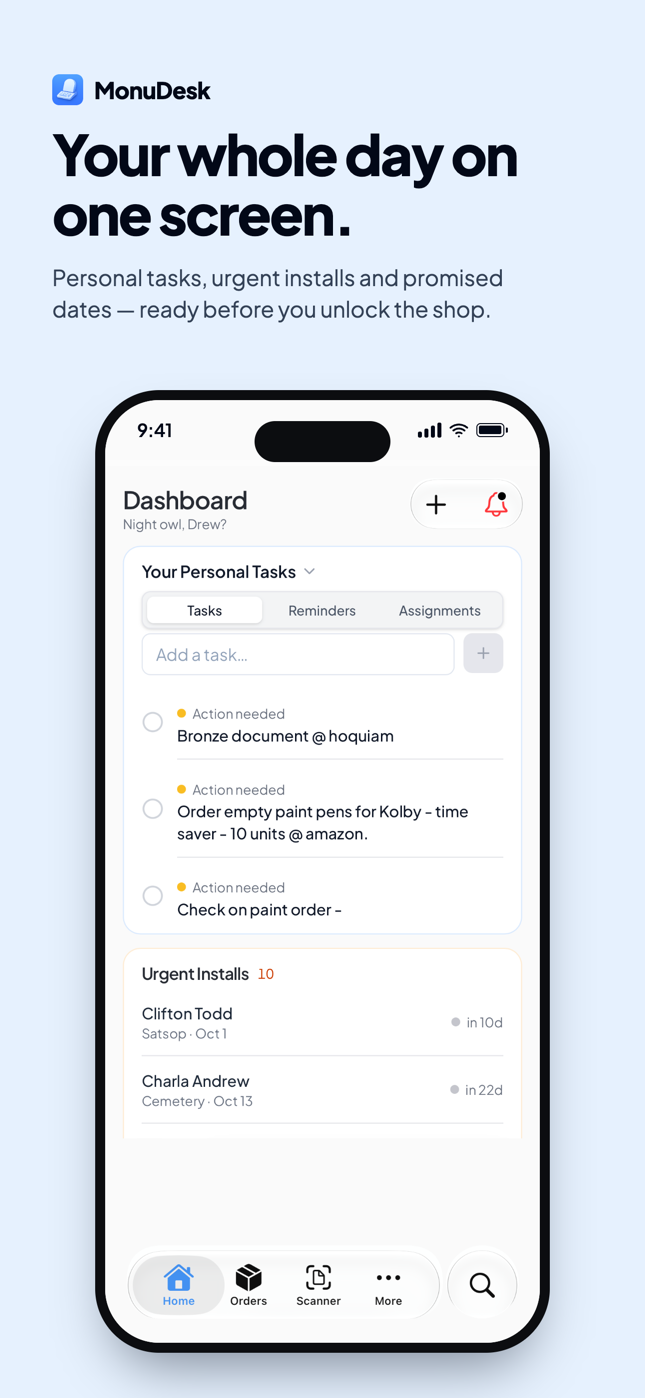
There's a new Dashboard tab in your sidebar. It's the page you'll open first every morning.

A to-do board for your whole team

The left side is a full to-do board. Create a task, tag it, and either keep it for yourself or assign it to a teammate. Tabs across the top let you see Everyone's tasks, filter by a specific team member, or flip to Your Personal Tasks for the stuff that's just on your plate.

Use it as your shop's task list, your delegation log, or just your daily checklist. It lives outside of any one order, so it's the right home for "call Tim back," "order more sand," or "schedule install crew."

Urgent Installs

Top right, you'll see orders sorted by promise date, closest at the top. If something's about to be due, it's at the top of the list. No more digging through the board to find what's slipping.

Drawings Awaiting Approval

Below that, every order that's currently parked in Family Approval Pending on its Drawing task. One glance tells you which families you need to chase for sign-off. Click Filter Steps to also include Must Be Created or Must Be Applied, or whatever you've renamed your steps to.

Install Weather (coming soon)

A weather forecast for your area, next to the install widgets, with a warning when conditions are risky for setting a stone on a given date. We're finishing this one up and shipping it in the next release.


πŸ“ˆ Business Intelligence

Scroll down on the Dashboard and you'll see a new Business Intelligence panel. Numbers that until now you had to guess at.

New orders, total quoted value, average order value, new customers, quoted versus won, top stone types, top colors, top services. Each one breaks down further by order type, so you can finally answer:

  • What's the average order value for flat markers this quarter?

  • How much did we quote in December, and how much closed?

  • Which stone type converts the best?

  • What was our strongest month, and why?

Free for everyone right now. Business Intelligence is part of the Pro plan when it launches in a few weeks, so make the most of it while it's open.


Also in this update

  • Drawing approvals no longer lost if the customer closes Safari mid countdown. When a family clicks Approve, the 2 minute timer now runs on our servers, not in their browser. They can close the tab, walk away, do whatever, and the approval still goes through. Same Cancel window still works if they change their mind.


Open app.monudesk.com/dashboard and you’re in.

June 9th, 2026

Oh my god this one’s an absolute banger.


πŸ‘₯ Assign to-dos to specific teammates

Every to-do on every order can now be assigned to a specific person on your team. Click the assignee slot on a to-do badge, pick a teammate, and the task is theirs.

Each person sees exactly what's on their plate. No more "I thought you were handling the foundation."


πŸ“‹ Every change on every order, on record

Every order now keeps a running log of what happened and who did it. Stage moves, edits, payments logged, documents generated, the moment the customer opened the portal, the moment they approved the drawing. All time stamped, all attributed.

If something goes sideways, the timeline is right there. If a customer disputes a change, you have the receipt.


πŸ’΅ Edit and delete payments

Payments are no longer write only. Click Edit on a payment row to fix the date, amount, method, or note. Click Delete if you logged it on the wrong order. The order balance recalculates instantly either way.


πŸ”€ Sort each stage your way

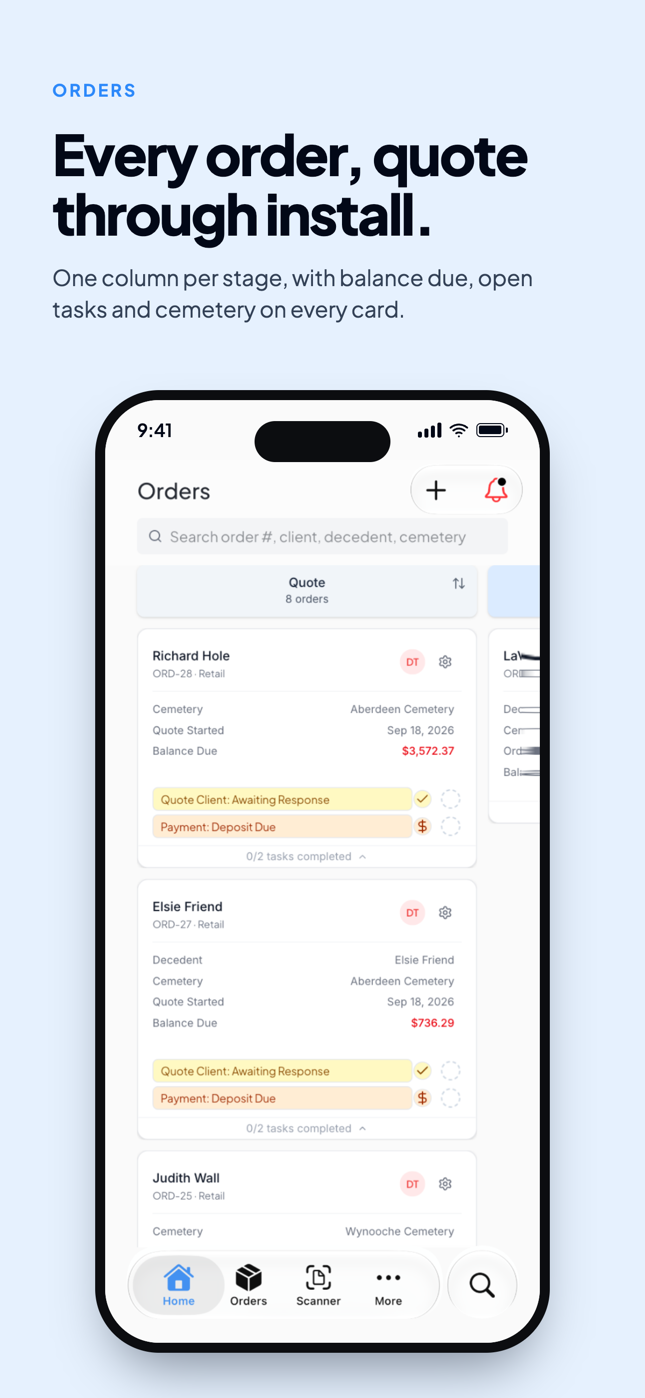
Every stage column on the order board now has its own sort menu, set independently from the others.

Options: Manual order (your saved drag order), Quote started newest, Quote started oldest, Order value highest, Order value lowest, Tasks left highest, Tasks left lowest, Group by cemetery, Decedent last name A to Z, Decedent last name Z to A.

Sort your "In Production" column by oldest quote so nothing slips. Sort "Quote" by value so you chase the biggest ones first. Each column remembers its own setting.

[Screenshot: stage column with sort menu open]


πŸ“… Set a promise date in two clicks

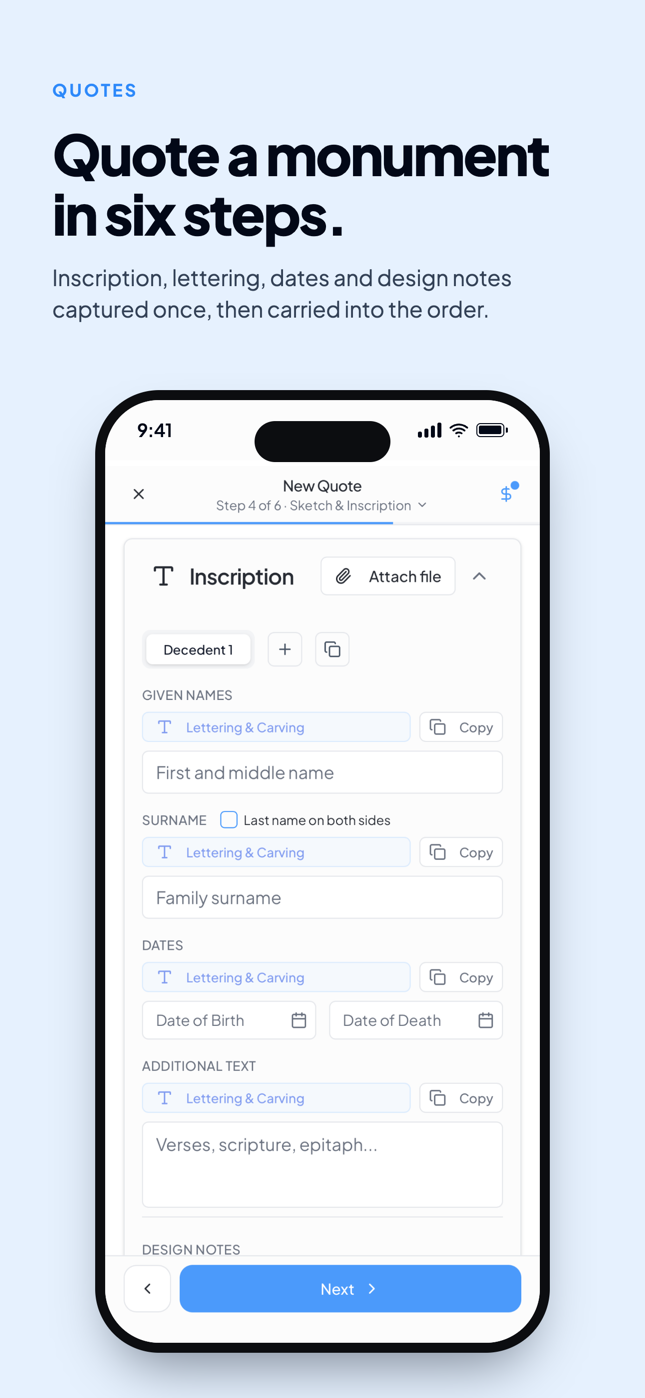
The promise date is back on Step 2 of New Quote, with quick add buttons for +1 month, +2 months, +3 months, and +6 months from today. Click one for a quick stamp, or pick an exact date if a family wants the stone set by a birthday or anniversary.


✏️ Service orders get the sketch page

On a death date addition, onsite lettering, or any other service order, you now get the Sketch & Inscription page with a dedicated name and date box. The customer can check spelling and the date and sign off on the same paper they would for a stone. No more typing it into the description and hoping nothing gets missed.


🏷️ Wholesale pricing (opt in)

If your shop sells wholesale, head to Settings β†’ Inventory and flip on Enable wholesale pricing. Your inventory gets a wholesale price column alongside retail, and wholesale prices apply automatically when you quote a wholesale contact. Off by default, so retail only shops never see columns they don't need.


Also in this update

  • The Foundation Order PDF now shows the Deceased Name and Foundation Position, so your foundation crew has the info they need without you writing it on a sticky note

  • Long cemetery addresses on the shop ticket now wrap to multiple lines instead of getting cut off with "..."

  • The Photos tab in Inventory no longer shows a quantity column (photos aren't really countable)

  • Monuments auto added from past orders now show a "?" in the quantity column with a tooltip explaining to set the real number

  • Multi stone orders now create an inventory row for every stone, not just the first one

  • A few backfill and smart prefill fixes so prices and names land correctly


Open app.monudesk.com and your board already has the new sort menus and assignee pickers waiting.

June 8th, 2026

We’ve added a few new features to make you more productive in your day-to-day and remove the amount of clicking & typing you need to do. Here they are!


πŸ“ Save your most used line items and reuse them with one click

When you click Add line item in New Quote, the item name is now a dropdown. Pick from items you've saved before and the name and price fill themselves in. Type a name that doesn't exist yet and click "Use [name]" to save it on the fly for next time.

Manage your saved items in Settings β†’ Saved Line Items. Edit names and prices inline, delete anything you don't use. The list sorts by what you use most, so the top item is always one click away.


βœ… Expand every order's to-dos with one click

The kanban toolbar has a new button next to the search bar. Click it once to expand every order card on the board and see every to-do at a glance. Click again to collapse them all back down.

Perfect for the morning scan: open the board, hit the button, and you can see what your whole shop is working on without clicking into a single order. When you're done, one more click puts everything back to clean.


Also in this update

  • Invoices now read Invoice Number instead of Order Number, with a clean sequence per invoice (ORD-53-1, ORD-53-2, etc). Helpful when wholesale purchasing departments need to file them.

  • Contracts got a polish pass: litho details and order notes now show on the contract, the salesperson name shows on the customer's copy, and the totals reorder to Total, then Deposit, then Balance, so customers stop thinking they owe the full amount

  • When you mark an order Completed, MonuDesk now asks if you want to check off the open tasks, so you can skip the manual cleanup


Hop into app.monudesk.com and write your next quote with the new line items dropdown.


June 3rd, 2026

New exciting update! Track your stock, set reorder alerts, and reuse any past order from New Quote, all in one place.


πŸ“¦ The new Inventory page

Find Inventory in your sidebar. Five tabs: Granite, Vases, Photos, Other, and Services.

Each tab shows total items, total value, and how many are at reorder. Track quantity, your own SKU, dimensions, colors, finishes, type (die, bevel, slant, base, marker, foundation), reorder point, your cost, the retail price your customer pays, and notes. Click any row to edit. Click Add Item for a fresh entry.

[Screenshot: Granite tab with rows, summary cards, and Add Item]


πŸ” The price book inside New Quote

This is the part that saves you time every single day.

The search bar in Step 3 when creating an order now searches your full inventory. Type a SKU, a size, a color, a stone name. Pick a match and the form fills itself in: type, color, finishes, dimensions, base config, and the price you charged last time.

You stop retyping. You stop guessing what you charged before. Inventory remembers.


βš™οΈ The page that fills itself

Flip on Auto Sync at the top and every monument you build in New Quote saves itself into Granite. No double entry.

Already have orders sitting in MonuDesk? Click Backfill from past orders once and every monument you've ever entered drops into Inventory in one shot.


Free for now

Inventory is going into our Pro plan when it launches in a few weeks, packed with more features that save serious time and money. Until then, every MonuDesk user gets full access. Get in the habit now.


Click here to open Inventory and try Backfill from past orders for a running start.


June 1st, 2026

Fewer bugs, smarter Insights pages, and a handful of small upgrades that add up.


🧹 The cleanup pass

We spent this round making MonuDesk feel better to use every day. Faster page loads, smoother animations, and a long list of small bugs squashed. Nothing flashy, but you should feel the difference within five minutes of opening the app.


πŸ” Search and more filters on every Insights page

Order Summary, Open Balances, Tax Report, Orders by Location, and Installation Planning all have a search bar at the top now. Look up a customer, decedent, or order number from any Insights page without going back to Order Management first.

Open Balances also has a new toggle to show paid orders, so you can use it as a full customer history instead of a receivables only view.

The Installations board has a new Tasks filter alongside Stages, so your field crew can plan by task type, not just stage.


πŸ’΅ New Quote remembers your deposit splits

If your shop always does 50/50, or a 3-way 25/25/50, or anything custom, New Quote now pre fills your last setup. Adjust on the fly if a particular customer needs something different.

Per company, not per user. Whoever on your team writes the next quote sees the same defaults.


πŸ’Έ Hide $ toggle

A new dollar icon in the topbar blurs every price, total, and balance across the app with one click. Useful when a customer is leaning over your screen. Click it again to bring the numbers back.


Also in this update

  • A bunch of fixes around saving data in New Quote (color, finishes, scheduling, multistone pricing, tax toggle, all sticking now)

  • The installation date range on an existing order can finally be edited and saved


Open app.monudesk.com and the app should already feel lighter.

May 25th, 2026

Your Order Management board now warns you about deadlines and bends to fit how your shop actually works.


🚦 Order cards that warn you before you fall behind

Your order cards now change color as the promise date gets close, so the jobs that need attention jump out at you the second you open the board.

Cards turn yellow when the promise date is getting near, red when it's almost here, and a deeper red once it's past due. You set the windows in Settings β†’ Order Management: how many days out triggers yellow (starts at 14), how many triggers red (starts at 7), and an on or off switch if you'd rather keep the board plain.

No more scanning every card to find the rush jobs. The board tells you.


πŸ—‚οΈ Build your order cards your way

You can now choose exactly what shows on every card on your Order Management board. Head to Settings β†’ Order Management β†’ Card Display.

Pick what goes on the top line (it starts on the decedent name), pick the second line, then toggle which detail rows appear and drag them into whatever order makes sense for your shop. A live preview shows your changes as you make them. Whatever you set applies to everyone on your team, so the whole board reads the same way for the whole crew.


Also in this update

  • The Files panel in Order Overview now updates the second you generate a Foundation Order, Purchase Order, contract, or receipt. No more refreshing to see your new doc.

  • Purchase Order PDFs generate again.

  • In New Quote Step 3, typing 0 in a feet input now jumps to inches like every other digit does.


Pull up app.monudesk.com and your board will already be color coded. Set your own windows and layout in Settings whenever you get a minute.

May 20th, 2026

MonuDesk now works on your phone, and the desktop app feels faster everywhere


πŸ“± MonuDesk now works on your phone

Open app.monudesk.com on your phone and you'll land in a mobile view built for one thing today: contacts.

You can view your full contact list, create a new contact on the fly, edit anyone in the system, and add quick notes.

The big use case is calls in the field. When a family reaches out while you're at the cemetery or on a job, pull up MonuDesk, save their info, and jot down what they need.

This is the start of something much bigger. Coming next:

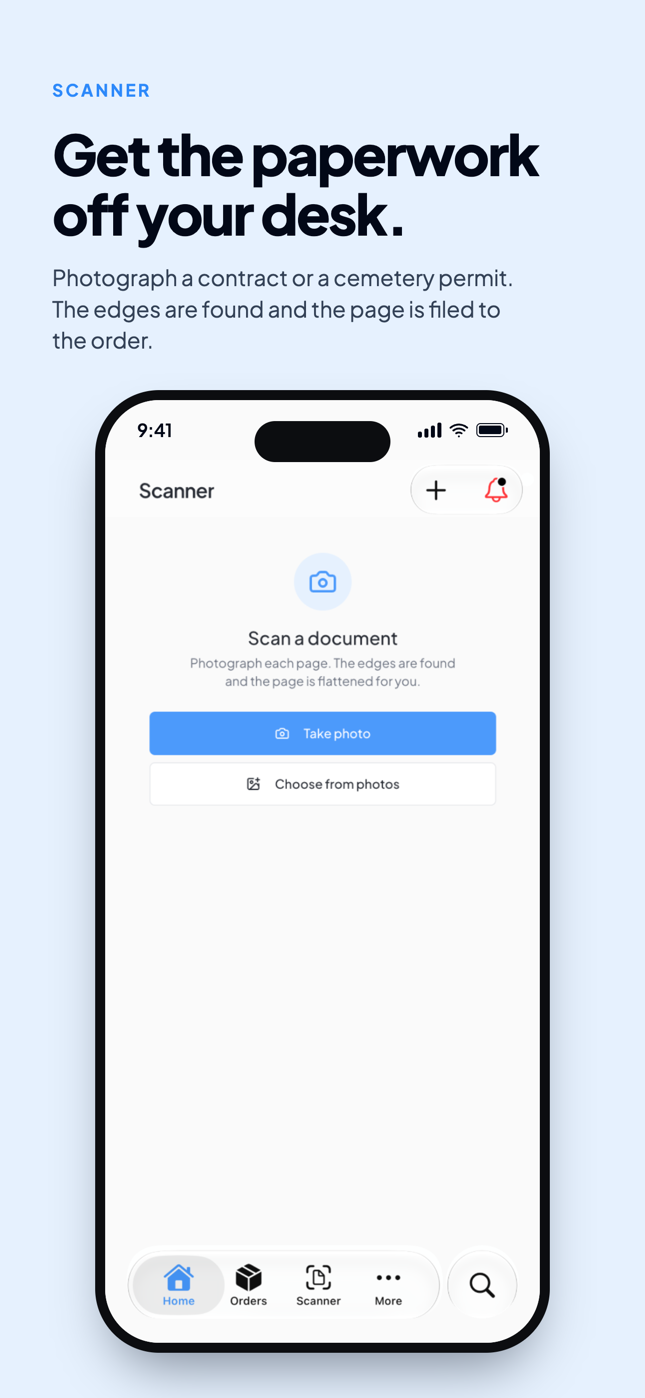
  • A document scanner that attaches scanned paperwork straight to an order

  • A Google Maps grave finder so you can locate plots from your phone

  • Notifications the second a customer accepts a drawing

  • Notifications the second a payment hits your account

  • Apple Tap to Pay so you can collect payments right at the kitchen table

No App Store (yet), just open MonuDesk on your phone browser. Or, if you want to preview it on your laptop, drag your browser window super narrow and the same mobile mode kicks in.


⚑ Performance pass

A few daily clicks that used to make you wait don't anymore.

  • Settings opens right away

  • To-do bubbles on order cards respond the moment you click

  • The To-Do page and New Quote popup are all faster


Also in this update

  • The Files panel in Order Overview now updates the second you generate a Foundation Order, Purchase Order, contract, or receipt. No more refreshing to see your new doc.

  • Purchase Order PDFs generate again.

  • In New Quote Step 3, typing 0 in a feet input now jumps to inches like every other digit does.


Open app.monudesk.com on your laptop to try the speed boost, and pull it up on your phone while you're at it.

May 16th, 2026

Scroll down to see what the team cooked up this week πŸ‘¨β€πŸ³


πŸ› οΈ Customer Portal for service orders

Service orders (lettering, cleaning, restoration) can now use the Customer Portal. Monument-specific progress sections are hidden and the portal focuses on documents.


🎨 Edit sketches after the order is created

The sketch builder used to lock the moment you saved an order. Now you can keep editing in the edit-quote flow.


πŸ”§ More control over your workflow steps

The workflow editor in Settings, Orders & Workflow now lets you rename, add, and delete way more steps and tasks than before. Shape the workflow to match how your shop actually runs.


πŸ“… Edit your order dates inline

Click any date on the order card or in the Order Overview to edit it. Pickers open in place, save instantly, and update everywhere.

Great for entering older orders without a wrong "Order Created" date stuck on them.


πŸ“Ž Email attachments in the notes & files section

The file picker also accepts email files, so you can drop email threads onto an order for full context.


Also in this update

  • Smart Search now lets you search for

  • (cleaning, restoration, engraving)

  • Autocomplete fills in ZIP codes and defaults the country to USA on the first step of the new quote window

  • Settings popup now opens instantly

  • Typing lag in Service Descriptions is fixed

  • Inscription Preview shows all decedents when opening an order

  • Flat and Slant marker finish boxes are clickable again (thanks @Kaleigh)

  • $0 orders can now be saved and confirmed (warranty work, comps, replacements)

  • Sketch builder auto-selects newly added text so you can drag it right away

  • MONUMENT/SERVICE badges on order cards show when the filter panel is expanded


Head to app.monudesk.com and explore.

May 11th, 2026

Happy Monday! Here's what's new.


🧾 Taxes is here

A brand new page in your sidebar. Taxes gives you a clean breakdown of every dollar of tax you've collected, broken down by county or zone. Filter by date range to pull a quarter, a year, or any window you need. Export to CSV and hand it to your accountant.

If you've ever spent a Saturday morning building tax reports from scratch, this one's for you.


πŸ” Smart Search

The search bar at the top has been rebranded as Smart Search and rebuilt from the ground up.

When you type, the matching name now shows first, with the part you typed bolded. Search "Grandv" and you instantly see "Grandville Cemetery" instead of starting with the order number. It works on cemetery names, marker types, colors, and more, so you find what you're looking for in one or two characters.


πŸ“Ž Click to upload a sketch image

If you don't use the sketch builder, you can now click directly into the sketch preview area on the Order Overview to upload a JPEG or PNG instead. The generic placeholder is gone. Just click and upload. Replaces the old stock heart image.


πŸ–ΌοΈ Sketches now show up on every PDF

This was a long-standing gap. Sketches built in MonuDesk only lived in the Order Overview, never on PDFs. Now, when you save a sketch, it's automatically added as a drawing on the order. Every PDF that already shows drawings (Contract, Shop Ticket, Foundation Order, Purchase Order) picks it up without any extra clicks.

If you edit or delete the sketch later, the drawing updates or disappears with it.


Also in this update

You can now add custom line items on service orders, the same way you already could on monument orders, so any extra charges have a place. Items in the accessories tab are now sorted in a sensible order.


Head to app.monudesk.com when you're ready.

May 8th, 2026

Two big features in this update. Drawing Approval is finally live, which means your customers can review and approve designs from the Customer Portal and you get a clean record of every approval. And the filters on Order Management got a serious upgrade.


Drawing Approval

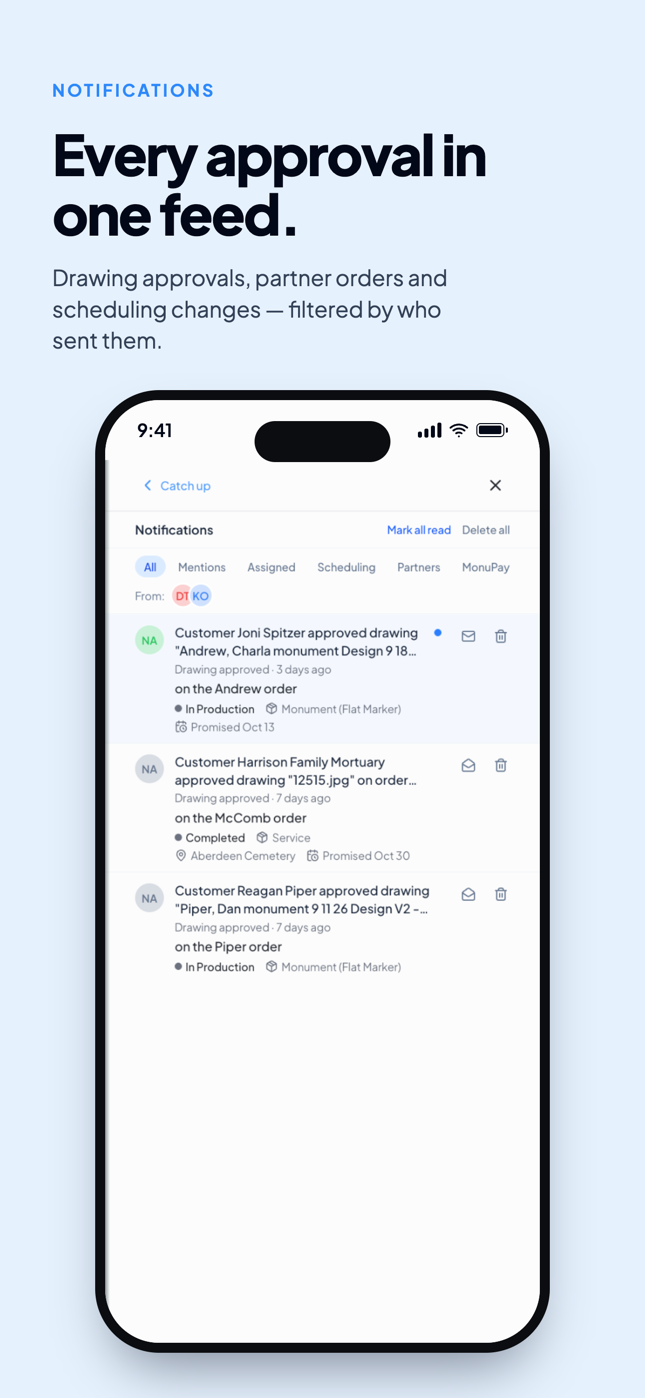
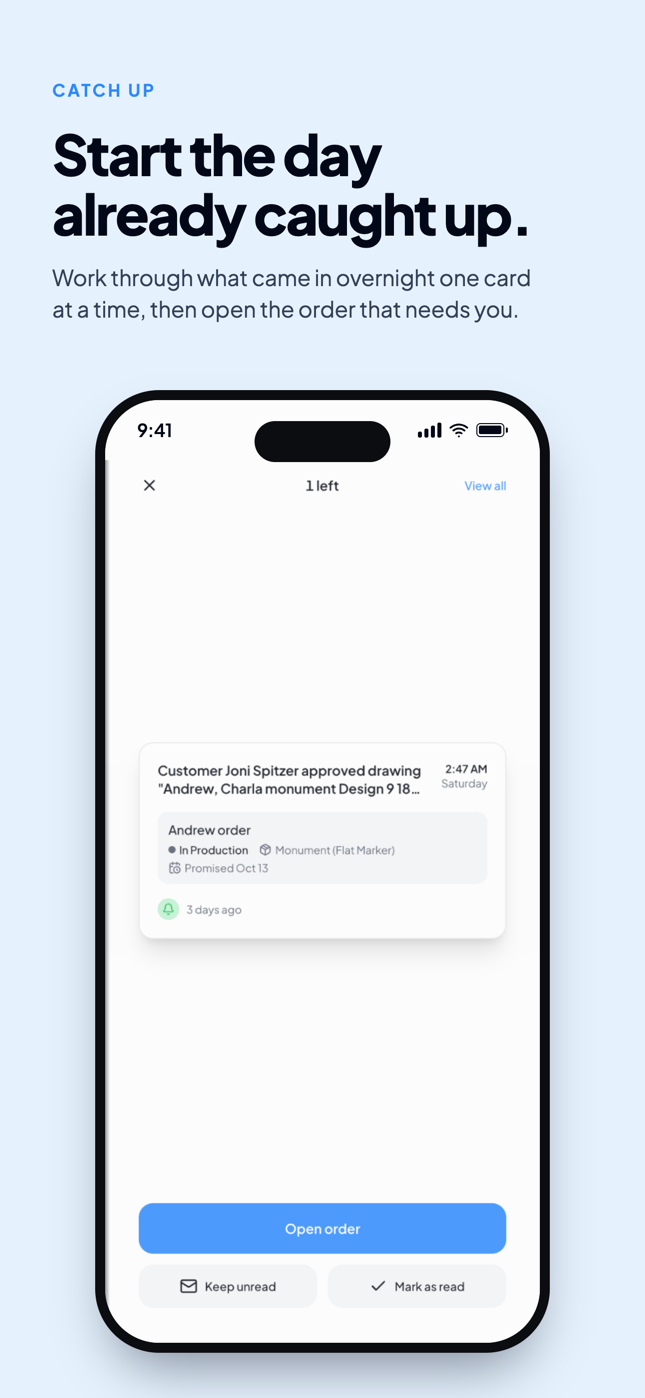
When the family approves a design, it should be one tap, one record, and one email to your shop. That's exactly what this is.

How it works for your customers: They open the Customer Portal, see all the drawings you've shared with them in a clean gallery, and tap to select the ones they want to approve. One button approves the batch.

They get a 2-minute window to undo. After that, the approval locks in. The portal becomes view-only and you get an email listing exactly which drawings were approved, by whom, and when.

How it works for you: On the Order Overview Files section, every approved drawing shows a green checkmark. Hover over it to see who approved it and when ("Approved by customer on [date]"). At a glance, you always know which drawings are approved without opening the portal.

Approving in person? When the family is sitting in your office and approves the design face to face, you don't need to send them through the portal. Click the three-dots menu on any drawing in the Files section and choose "Approve Drawing". It's logged with your name and the timestamp, exactly the same as a portal approval. You can un-approve later if you need to.


Filters on Order Management

Real, working filters are now on the Order Management board. Filter by stage, date, and customer type (retail or wholesale).

You can also now filter by tasks, so you can answer the questions you're already asking yourself every day:

  • Which foundations are pending?

  • Who didn't pay yet?

  • Which family do I need to reach out to, to remind them to approve the design in the customer portal?

  • Which orders are waiting on a stencil?

  • Which installs are scheduled this week?

Pick a task, see exactly which orders need work on that step. No more scanning the whole board.


This is the update we've been building toward. The Customer Portal is now feature-complete, and Drawing Approval is the piece that makes it real.

Head to app.monudesk.com and see for yourself.