YOUR NEW HOMEPAGE

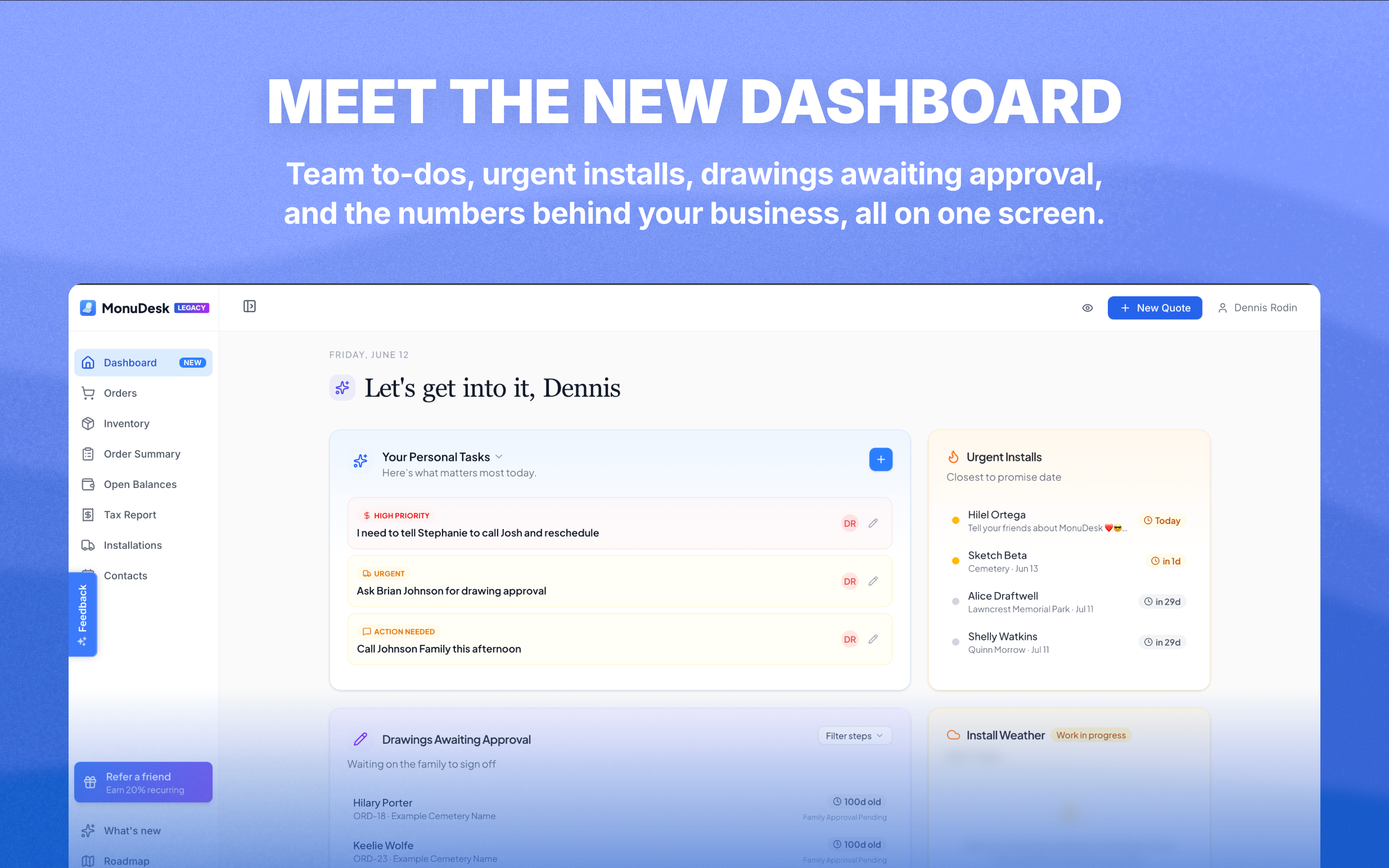
One page to start your day. Everything that matters, right when you log in.
📊 The Dashboard is live
There's a new Dashboard tab in your sidebar. It's the page you'll open first every morning.
A to-do board for your whole team
The left side is a full to-do board. Create a task, tag it, and either keep it for yourself or assign it to a teammate. Tabs across the top let you see Everyone's tasks, filter by a specific team member, or flip to Your Personal Tasks for the stuff that's just on your plate.
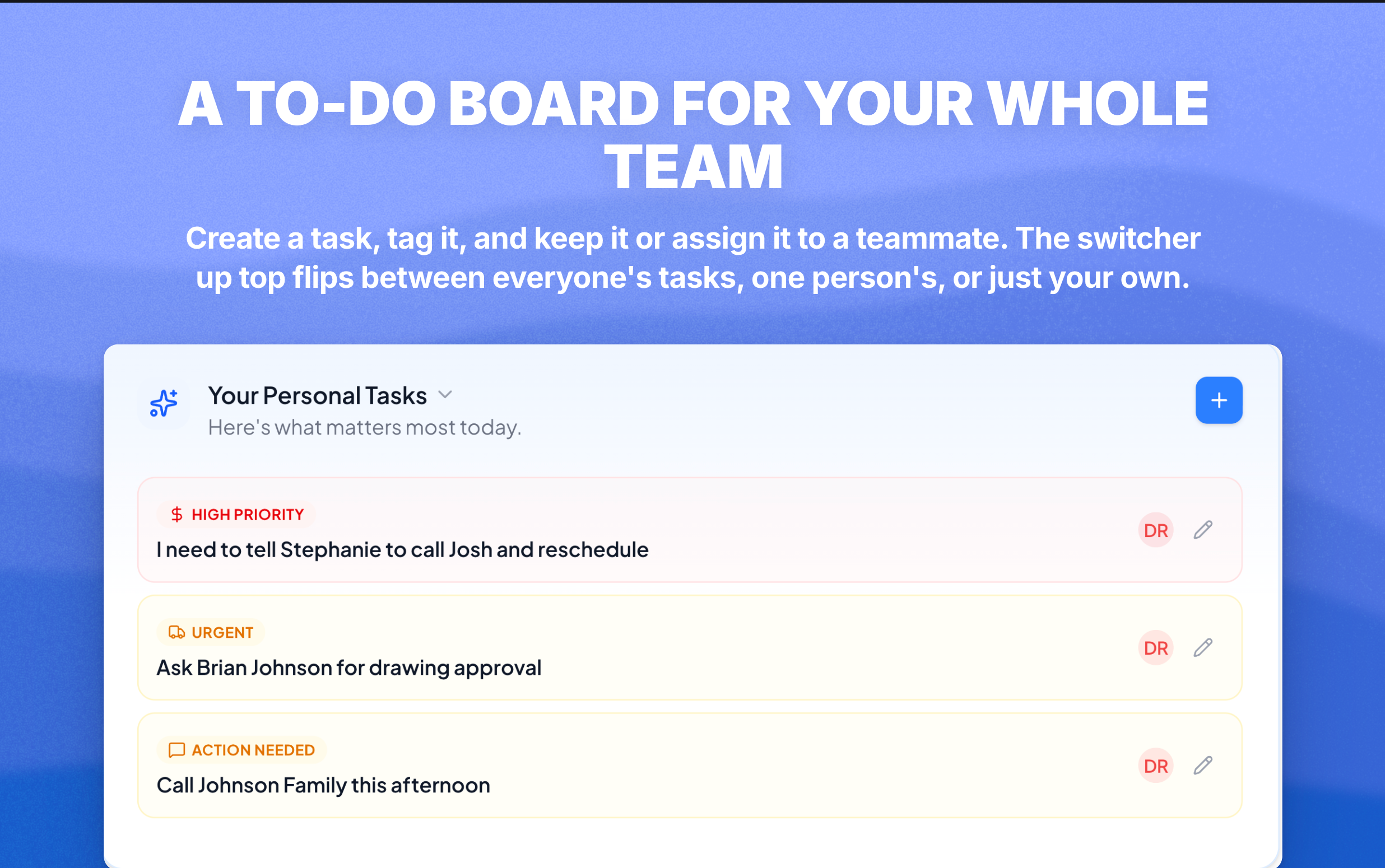
Use it as your shop's task list, your delegation log, or just your daily checklist. It lives outside of any one order, so it's the right home for "call Tim back," "order more sand," or "schedule install crew."
Urgent Installs
Top right, you'll see orders sorted by promise date, closest at the top. If something's about to be due, it's at the top of the list. No more digging through the board to find what's slipping.
Drawings Awaiting Approval
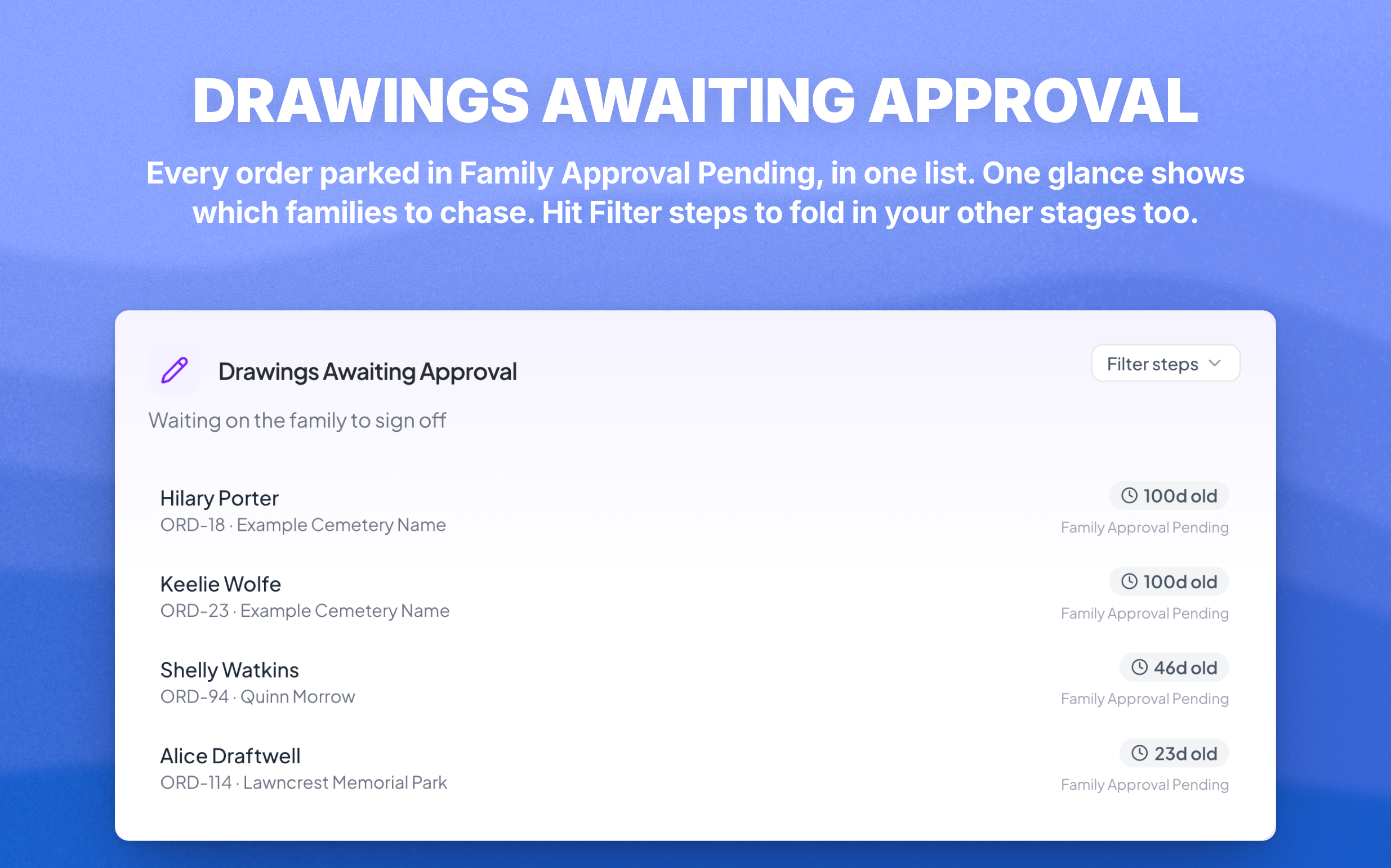
Below that, every order that's currently parked in Family Approval Pending on its Drawing task. One glance tells you which families you need to chase for sign-off. Click Filter Steps to also include Must Be Created or Must Be Applied, or whatever you've renamed your steps to.
Install Weather (coming soon)
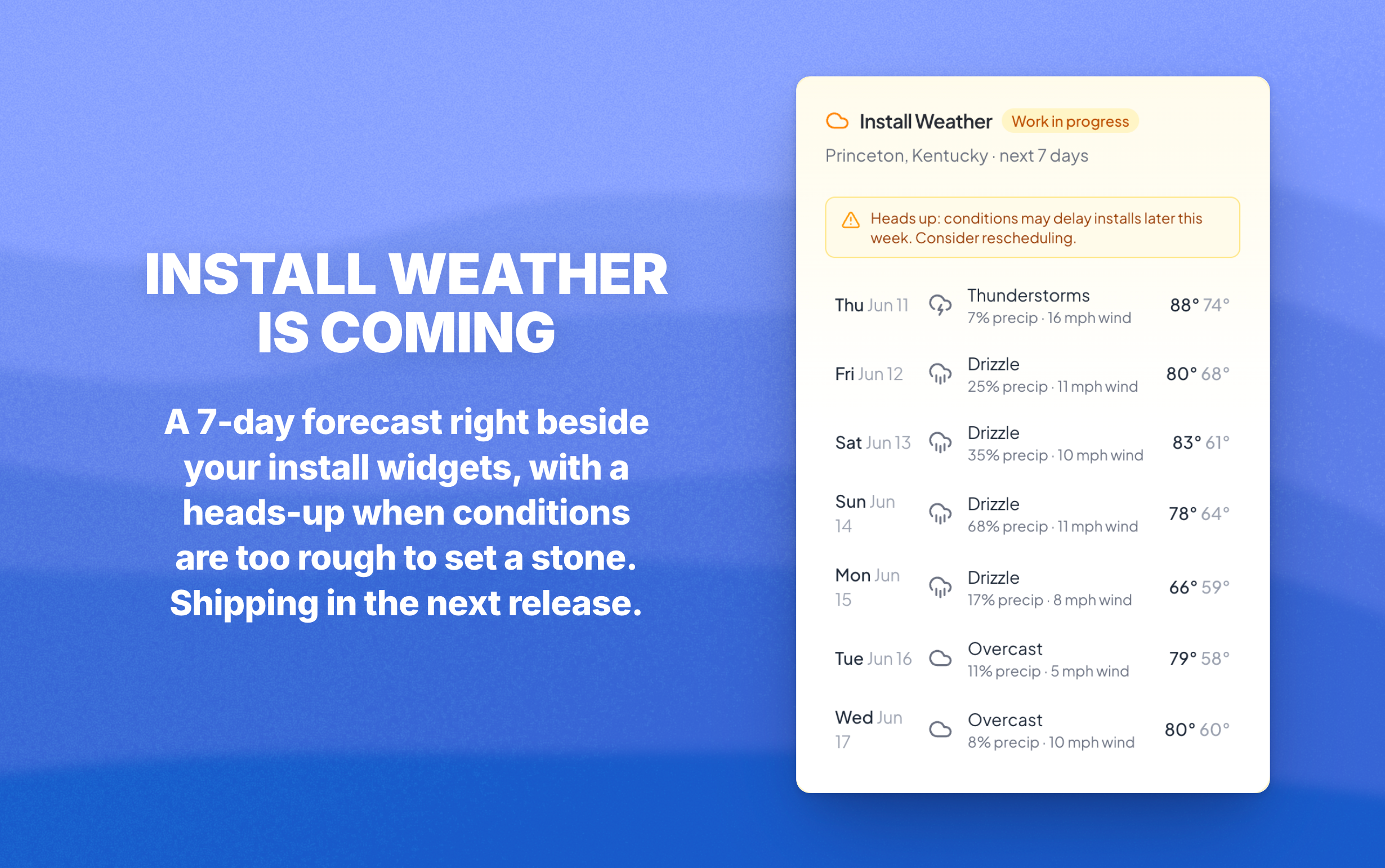
A weather forecast for your area, next to the install widgets, with a warning when conditions are risky for setting a stone on a given date. We're finishing this one up and shipping it in the next release.
📈 Business Intelligence
Scroll down on the Dashboard and you'll see a new Business Intelligence panel. Numbers that until now you had to guess at.
New orders, total quoted value, average order value, new customers, quoted versus won, top stone types, top colors, top services. Each one breaks down further by order type, so you can finally answer:
What's the average order value for flat markers this quarter?
How much did we quote in December, and how much closed?
Which stone type converts the best?
What was our strongest month, and why?
Free for everyone right now. Business Intelligence is part of the Pro plan when it launches in a few weeks, so make the most of it while it's open.

Also in this update
Drawing approvals no longer lost if the customer closes Safari mid countdown. When a family clicks Approve, the 2 minute timer now runs on our servers, not in their browser. They can close the tab, walk away, do whatever, and the approval still goes through. Same Cancel window still works if they change their mind.
Open app.monudesk.com/dashboard and you’re in.