Save line items and open every to-do at once
We’ve added a few new features to make you more productive in your day-to-day and remove the amount of clicking & typing you need to do. Here they are!
📝 Save your most used line items and reuse them with one click
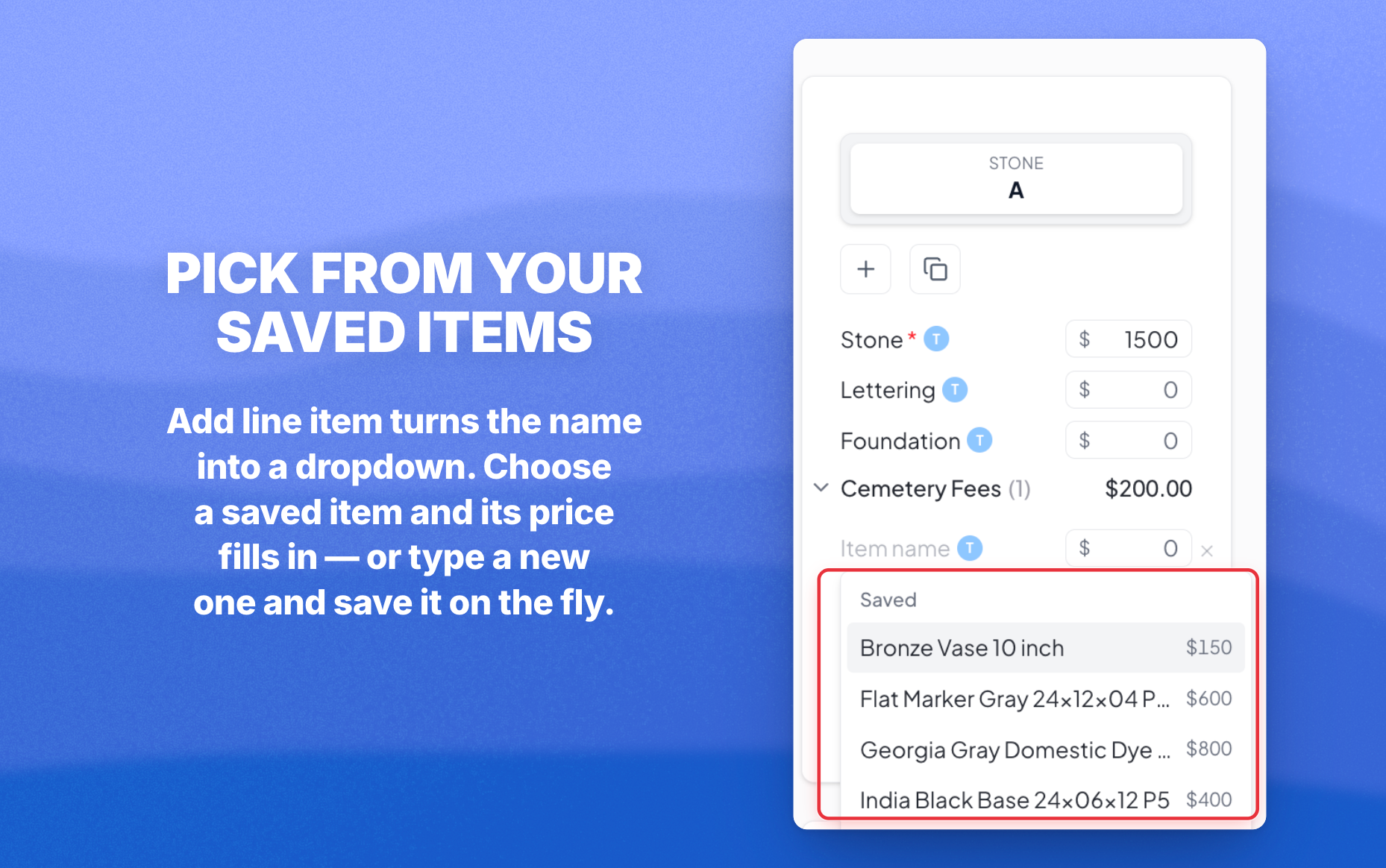
When you click Add line item in New Quote, the item name is now a dropdown. Pick from items you've saved before and the name and price fill themselves in. Type a name that doesn't exist yet and click "Use [name]" to save it on the fly for next time.
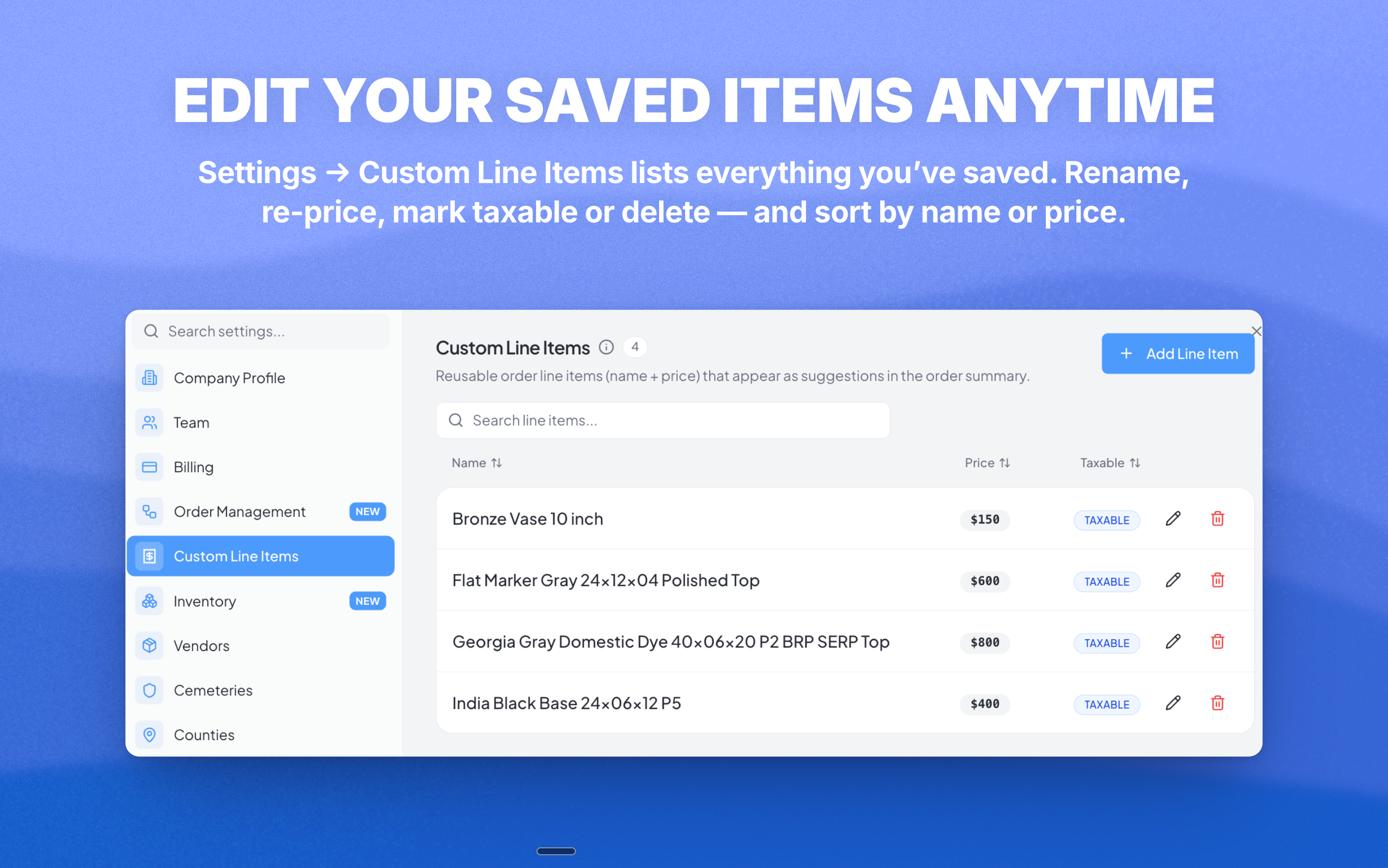
Manage your saved items in Settings → Saved Line Items. Edit names and prices inline, delete anything you don't use. The list sorts by what you use most, so the top item is always one click away.
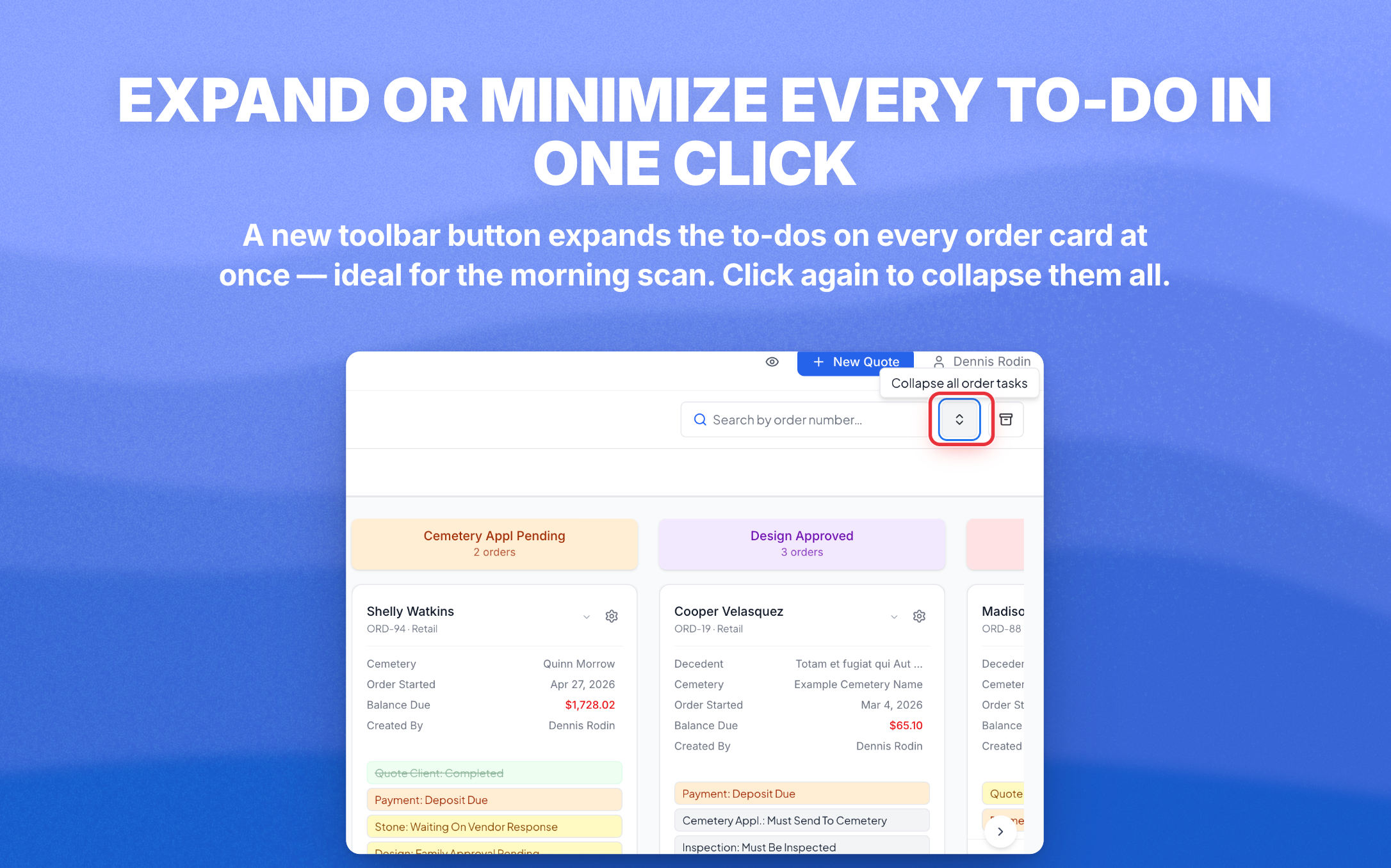
✅ Expand every order's to-dos with one click
The kanban toolbar has a new button next to the search bar. Click it once to expand every order card on the board and see every to-do at a glance. Click again to collapse them all back down.
Perfect for the morning scan: open the board, hit the button, and you can see what your whole shop is working on without clicking into a single order. When you're done, one more click puts everything back to clean.
Also in this update
Invoices now read Invoice Number instead of Order Number, with a clean sequence per invoice (ORD-53-1, ORD-53-2, etc). Helpful when wholesale purchasing departments need to file them.
Contracts got a polish pass: litho details and order notes now show on the contract, the salesperson name shows on the customer's copy, and the totals reorder to Total, then Deposit, then Balance, so customers stop thinking they owe the full amount
When you mark an order Completed, MonuDesk now asks if you want to check off the open tasks, so you can skip the manual cleanup
Hop into app.monudesk.com and write your next quote with the new line items dropdown.