PO Tracking, plus 20+ upgrades
A new home for your purchase orders, plus a big batch of upgrades across payments, files, and Conversations.
🧾 Track every purchase order in one place
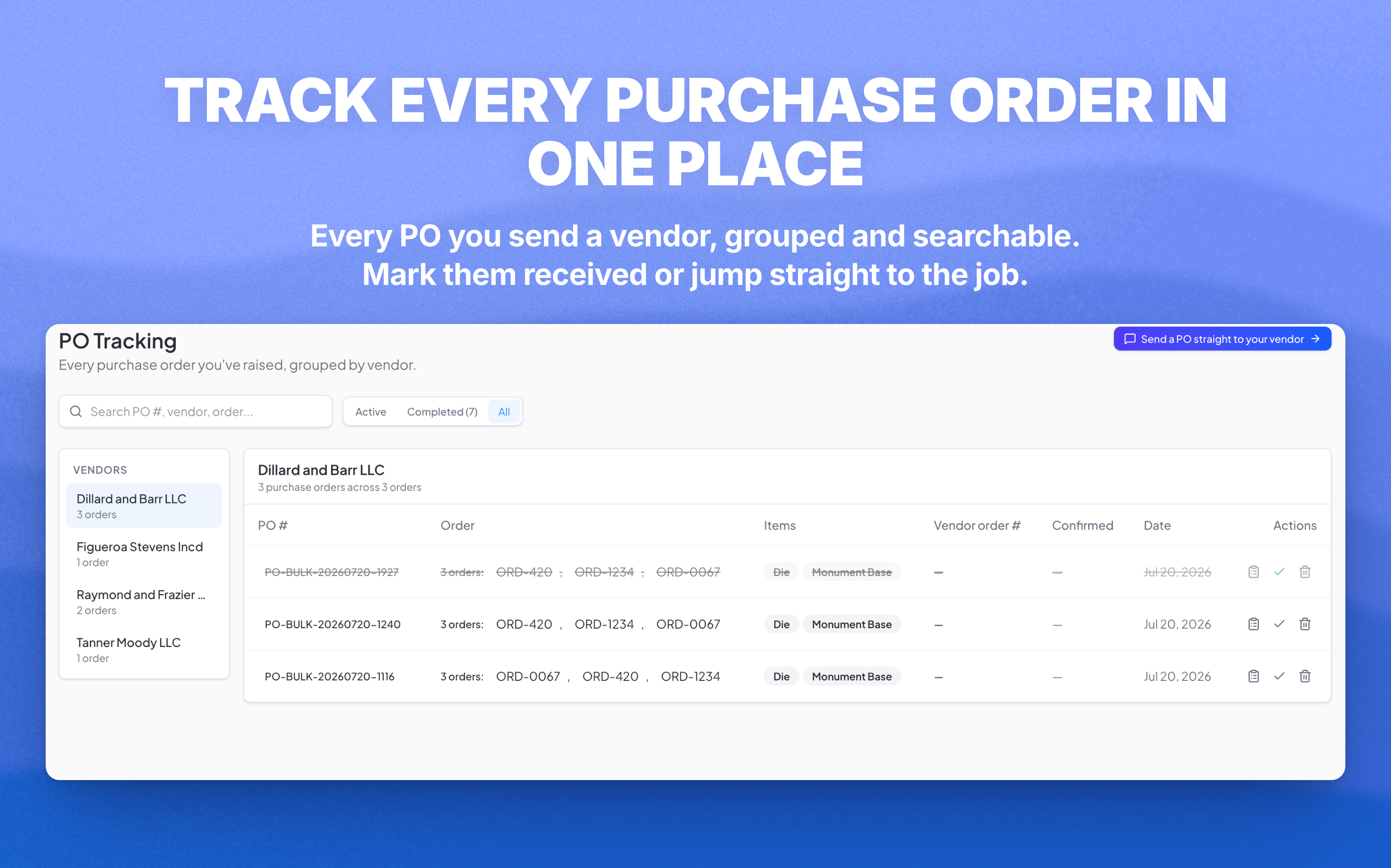
The new PO Tracking page puts every purchase order you send to a vendor in one list. Mark each PO received or done, keep vendor and tracking details right next to it, and clear out the ones you're finished with.PO numbers and order numbers are clickable, so you can jump straight to the job — it opens in the order popup without leaving the page. When several orders go out on one bulk PO, they collapse into a single line with a combined download, and on multi-location accounts each shop sees only its own POs.
The rest of the update
Everything below is a smaller win, but there are a lot of them. Skim the groups that apply to how your shop works.
💬 Conversations
- Spam filtering keeps junk out of your order inboxes
- Email signatures — set yours once and it's added to every reply
- Bulk-select and delete email threads instead of clearing them one at a time
- On multi-location accounts, customer emails now send from the right location's name and branding
💳 Payments & billing
- ACH and debit card are now options when you record a payment, alongside cash, check, and card
- A quote changes color when its price guarantee expires, so a stale quote never slips out the door
📎 Files & uploads
- Upload limit raised to 50 MB
- Attach multiple files to a service order, not just one
- Upload DXF, BMP, AI, and PLT files to an order, so your CAD and plotter files live right on the job
- Attach files directly to cemetery and vendor records
📄 Documents & sketch
- Skip the empty back page — a new toggle in the sketch step leaves the blank back drawing off every generated document, so you stop deleting it by hand
- External notes on an order now show where they belong
📦 Orders & inventory
- Print an installation straight from the Installations page
- Inventory auto-deducts when an order reaches the right stage, so your counts stay honest without extra clicks
- Faster order loading on big boards
- The header stays pinned as you scroll long screens
- Archived completed orders now appear in the Archives window, with revenue
- Etching moved into the Accessories tab so dealers can actually find it
- Photos (porcelain) can now be sized in cm or inches
- Sexton address field added to cemetery settings
Open app.monudesk.com and open PO Tracking from the sidebar.