Lettering Work Orders and Production Calendar are live
Two new ways to get a job through the shop — a real work order for lettering, and a calendar for what happens at the bench — plus 30+ fixes, most of them MonuDesk being more careful with what you've already typed.
✍️ Lettering jobs get their own work order
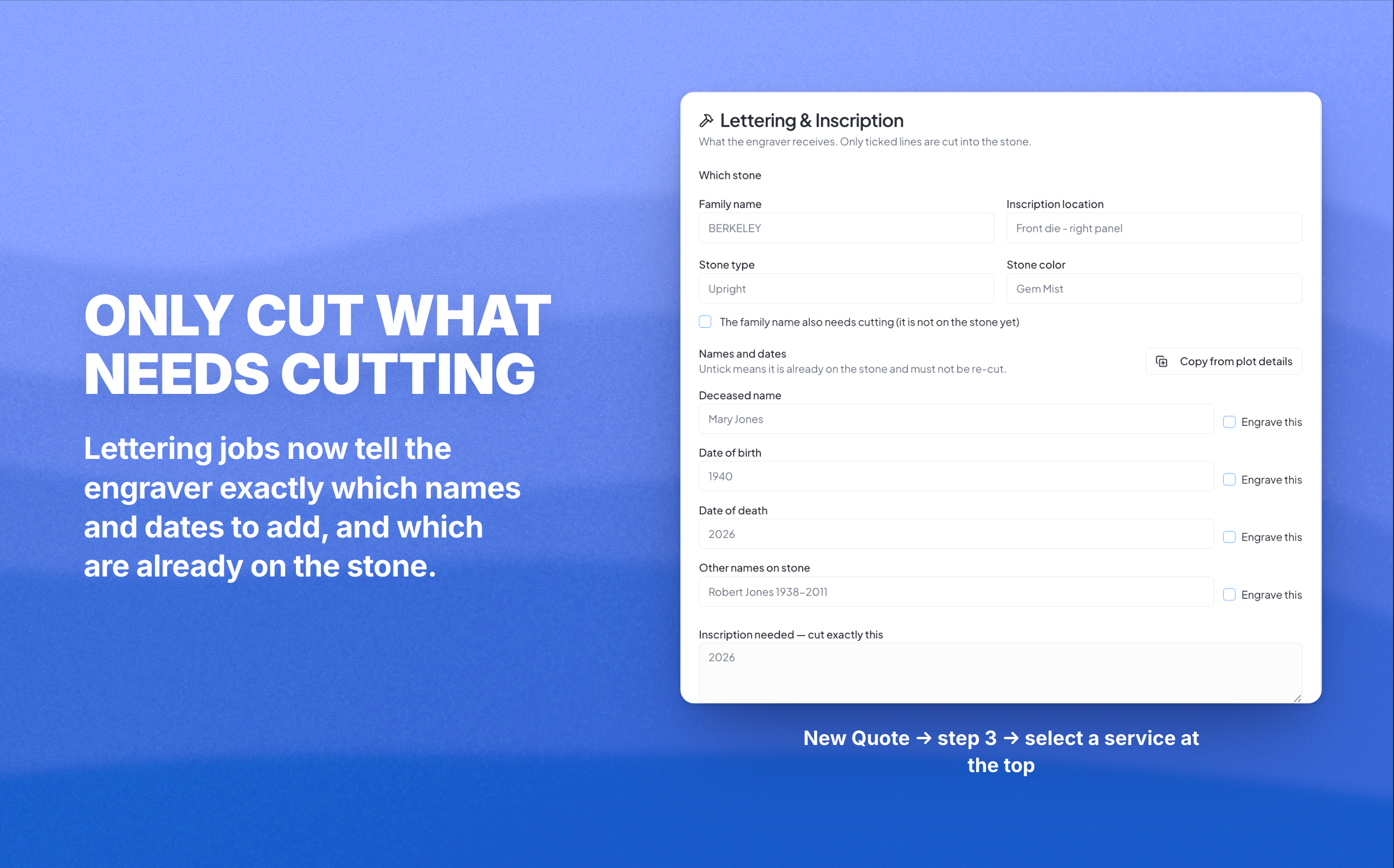
Every service order now has a Lettering & Inscription card in step 3 of New Quote: which stone, the names and dates with an Engrave this box against each one, and a free-text inscription that reaches the engraver exactly as you typed it. Unticked means it's already on the stone, don't re-cut it. Copy from plot details pulls in the decedents you already entered and deliberately ticks nothing — you choose what gets cut.
The shop ticket then prints three separate blocks: the stone, ENGRAVE THIS in larger type, and Already on stone — DO NOT CUT.
🗓️ A Scheduling tab on every order, and a Production calendar
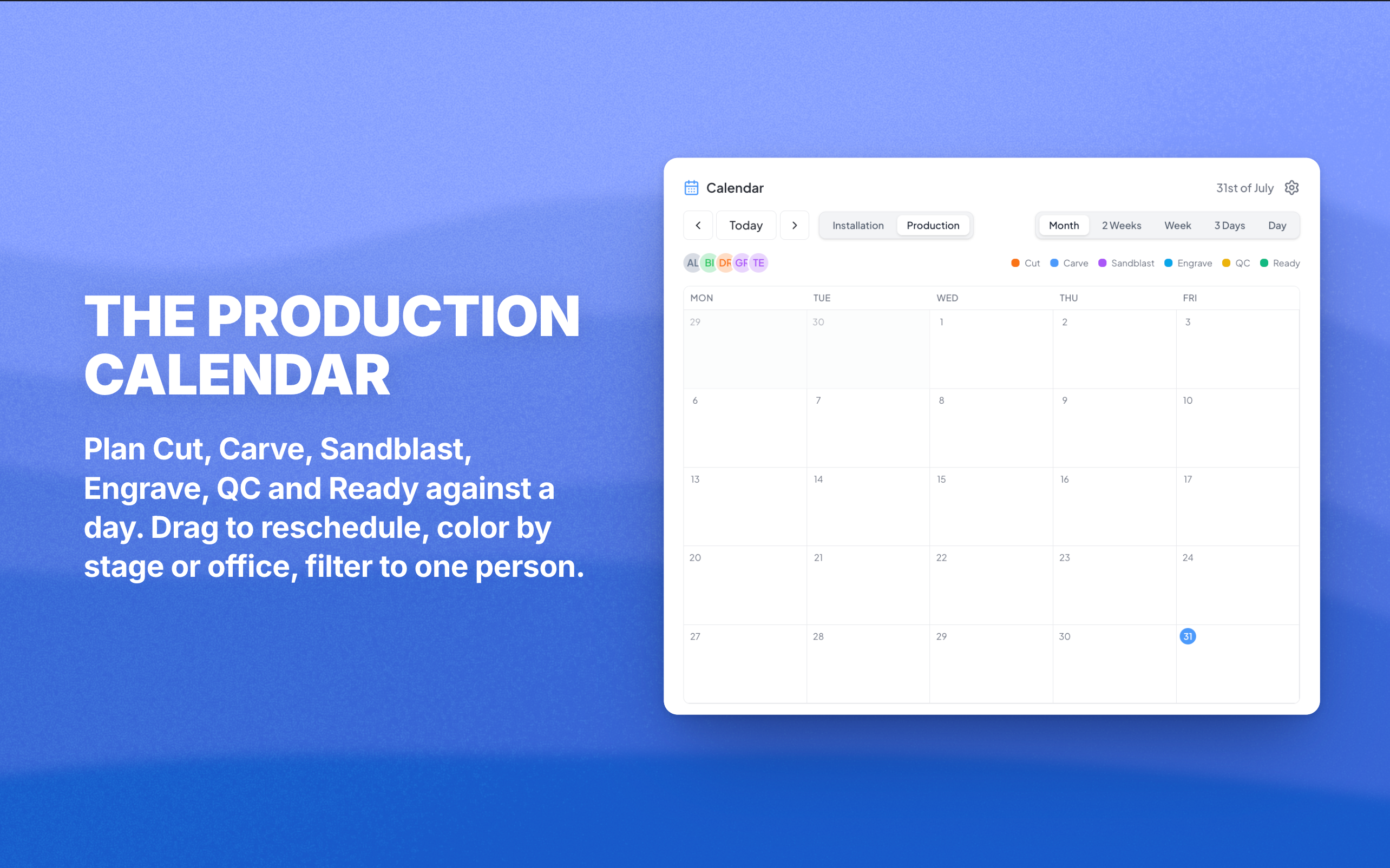
The Production calendar is the new half. Plan Cut, Carve, Sandblast, Engrave, QC and Ready against a day, drag events to a new date, color them by production stage or by office, and filter down to one person. It sits on the dashboard and the Installations page behind an Installation / Production toggle.
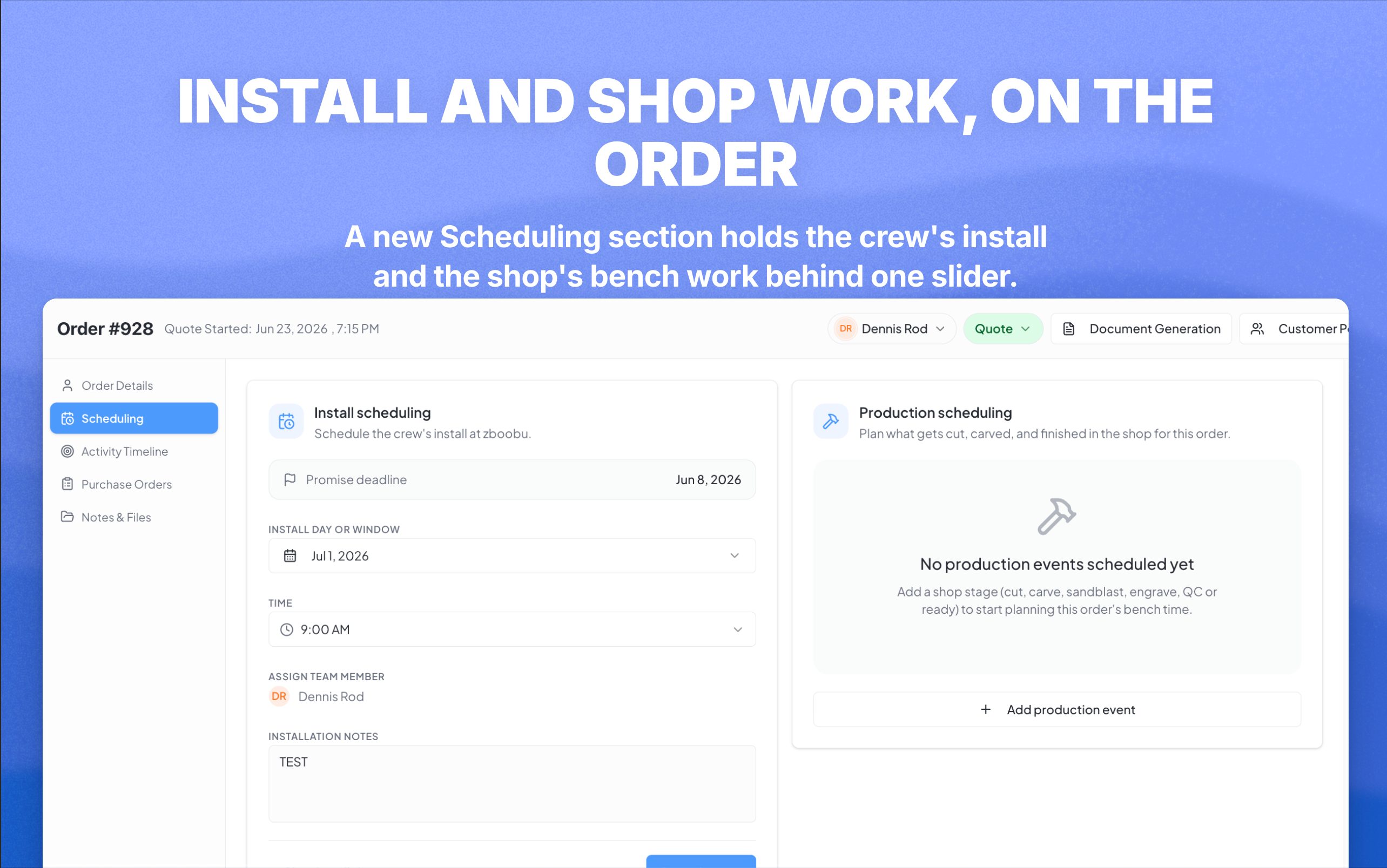
While we were in there: you can now set an install date before the cemetery paperwork catches up. A missing cemetery is a note above the form instead of a wall in front of it.
The rest of the update
Everything below is a smaller win, but there are a lot of them. Skim the groups that apply to how your shop works.
🛟 MonuDesk stops losing what you typed
These fixes stop MonuDesk writing over what you'd already entered. They can't recover what's gone, so older orders are worth a spot-check.
- Customer contact details stop getting partly wiped — New Quote was writing a stripped-down copy back over the real contact
- Looking up a customer no longer creates a second one — searching Olafson used to leave a stray contact called Ola
- Cemetery & Plots stops reverting what you're typing, which was visibly shortening decedents' last names
- Inscription & Artwork stops wiping details it doesn't own — middle names, and lettering setups it never touched
- "Client update failed" is fixed, and no longer throws away the name and address you just typed
📄 Documents and drawings
- Front and back drawings get a full page each on contracts and quotes, instead of printing two inches wide
- Blank pages and duplicate drawings no longer print — documents take the newest sketch per side
- Unticking a drawing sticks on the stored copy your customer, your email and QuickBooks receive
- Documents spell out which finish goes on which face (F: Polished | B: Steeled) instead of "Custom Finish"
- A custom top shape prints the words you typed, not the literal word "Custom"
- The drawing picker shows your sketches — it only ever recognized uploaded files, so most orders never asked
- You can delete a back drawing, every saved revision of it
- Files show a real thumbnail instead of four identical rows all labeled "Drawing"
📋 Orders and the timeline
- Saving a sketch or an order is fast again — dealers were seeing 30 to 60 seconds
- Record something that happened off-system — an Add event button on the Activity Timeline for the day a monument was set, a foundation poured, a stone delivered
- Timeline entries show who did each thing instead of leaving a blank
- The order archive loads again — one bad order used to blank the entire list
- Dragging cards between stages no longer throws a full-page error
🧾 Vendors and cemeteries
- Purchase orders no longer say BRP when you chose Steeled — vendors were being told to rock-pitch a steeled face
- Every vendor shows up in the dropdown — the pickers loaded only your 10 most recent, then searched within those ten
- The Sexton Address saves and comes back — it was stored correctly, but every screen reopened blank
💬 Conversations
- Archiving and trashing lines up with Gmail — handled as label changes, so an archive done in Gmail comes back
- Disconnecting a mailbox no longer leaves it nagging you to reconnect
Open app.monudesk.com, open any order and try the new Scheduling tab.