INVENTORY IS LIVE 👀
New exciting update! Track your stock, set reorder alerts, and reuse any past order from New Quote, all in one place.
📦 The new Inventory page
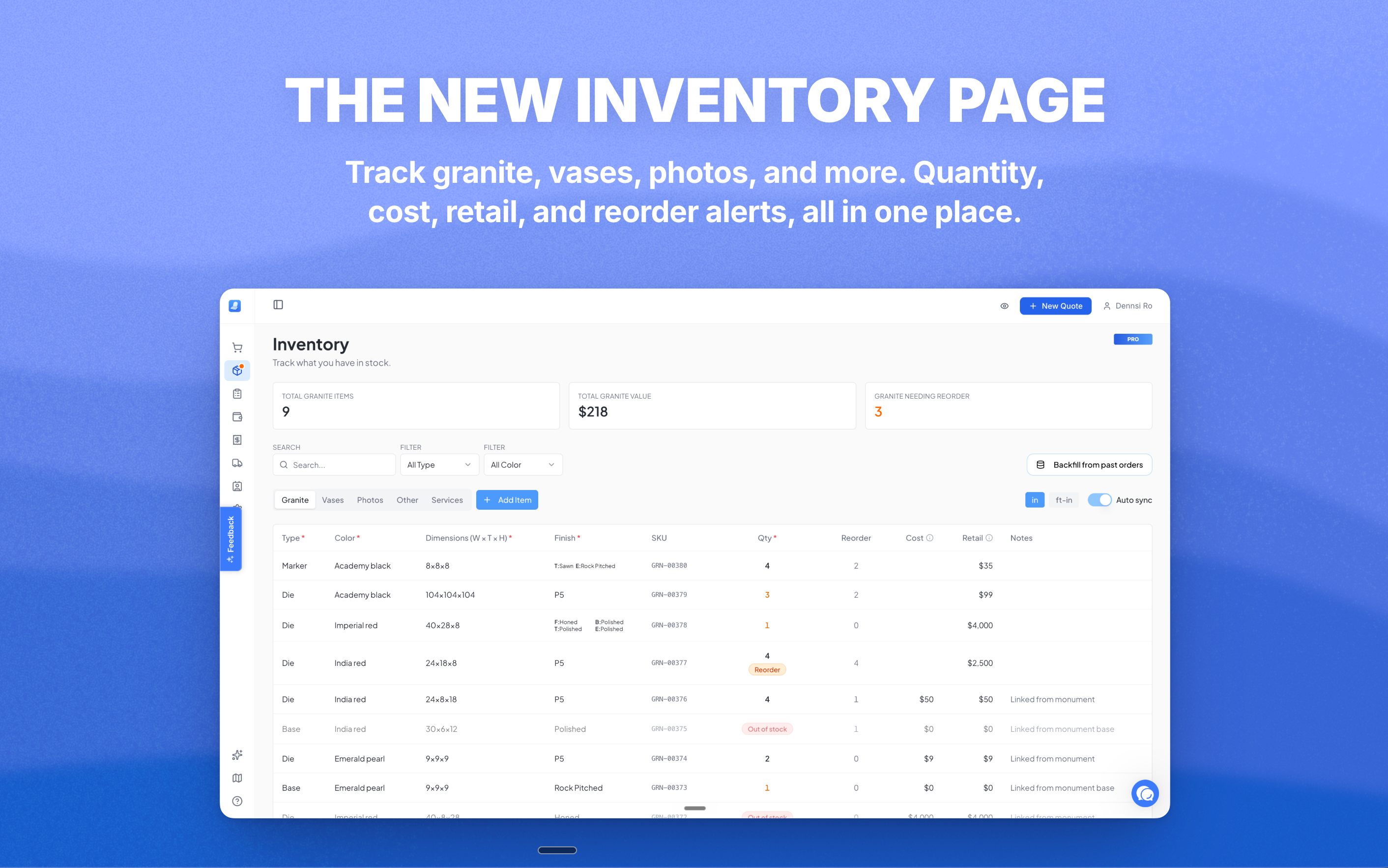
Find Inventory in your sidebar. Five tabs: Granite, Vases, Photos, Other, and Services.
Each tab shows total items, total value, and how many are at reorder. Track quantity, your own SKU, dimensions, colors, finishes, type (die, bevel, slant, base, marker, foundation), reorder point, your cost, the retail price your customer pays, and notes. Click any row to edit. Click Add Item for a fresh entry.
[Screenshot: Granite tab with rows, summary cards, and Add Item]
🔍 The price book inside New Quote
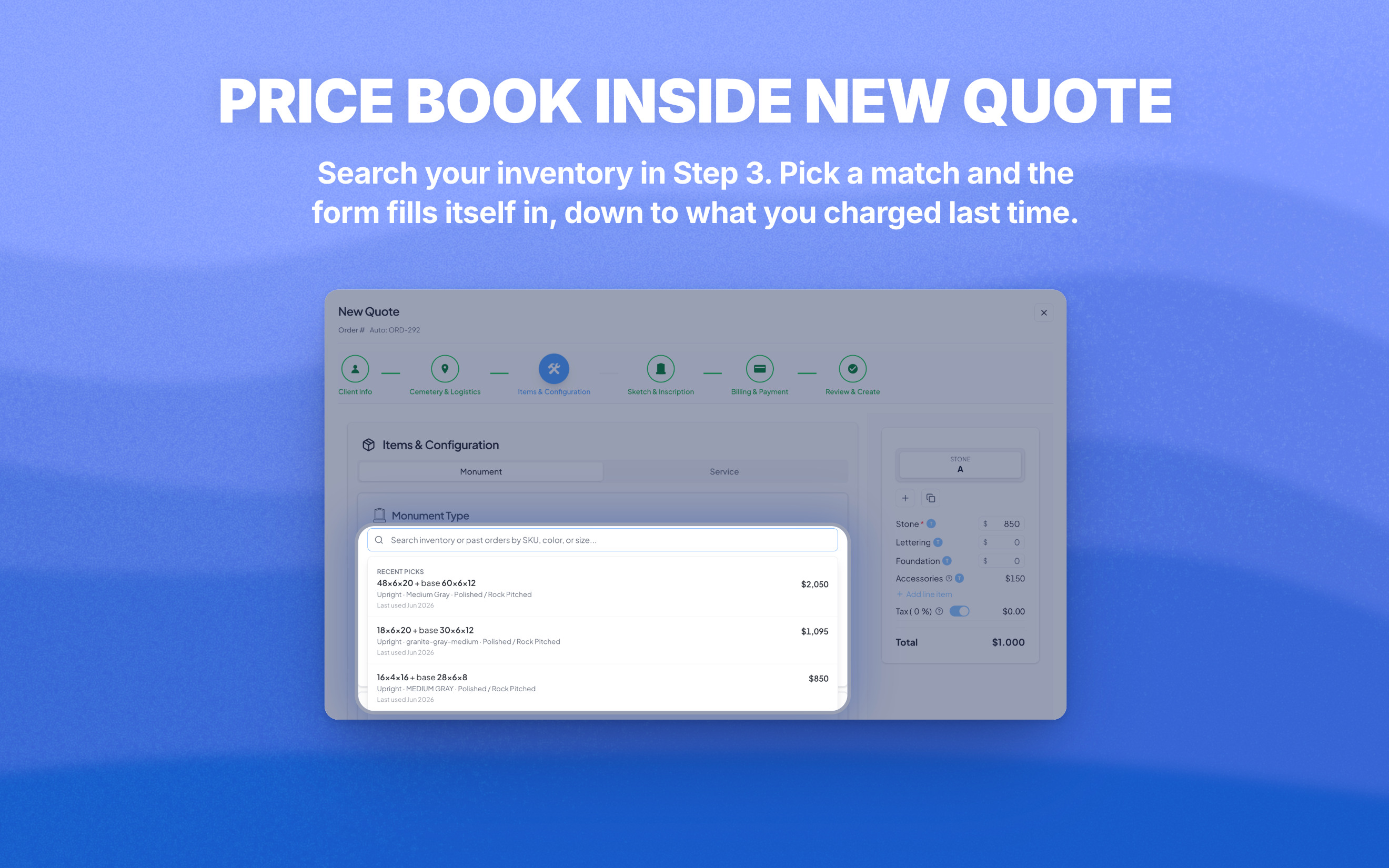
This is the part that saves you time every single day.
The search bar in Step 3 when creating an order now searches your full inventory. Type a SKU, a size, a color, a stone name. Pick a match and the form fills itself in: type, color, finishes, dimensions, base config, and the price you charged last time.
You stop retyping. You stop guessing what you charged before. Inventory remembers.
⚙️ The page that fills itself
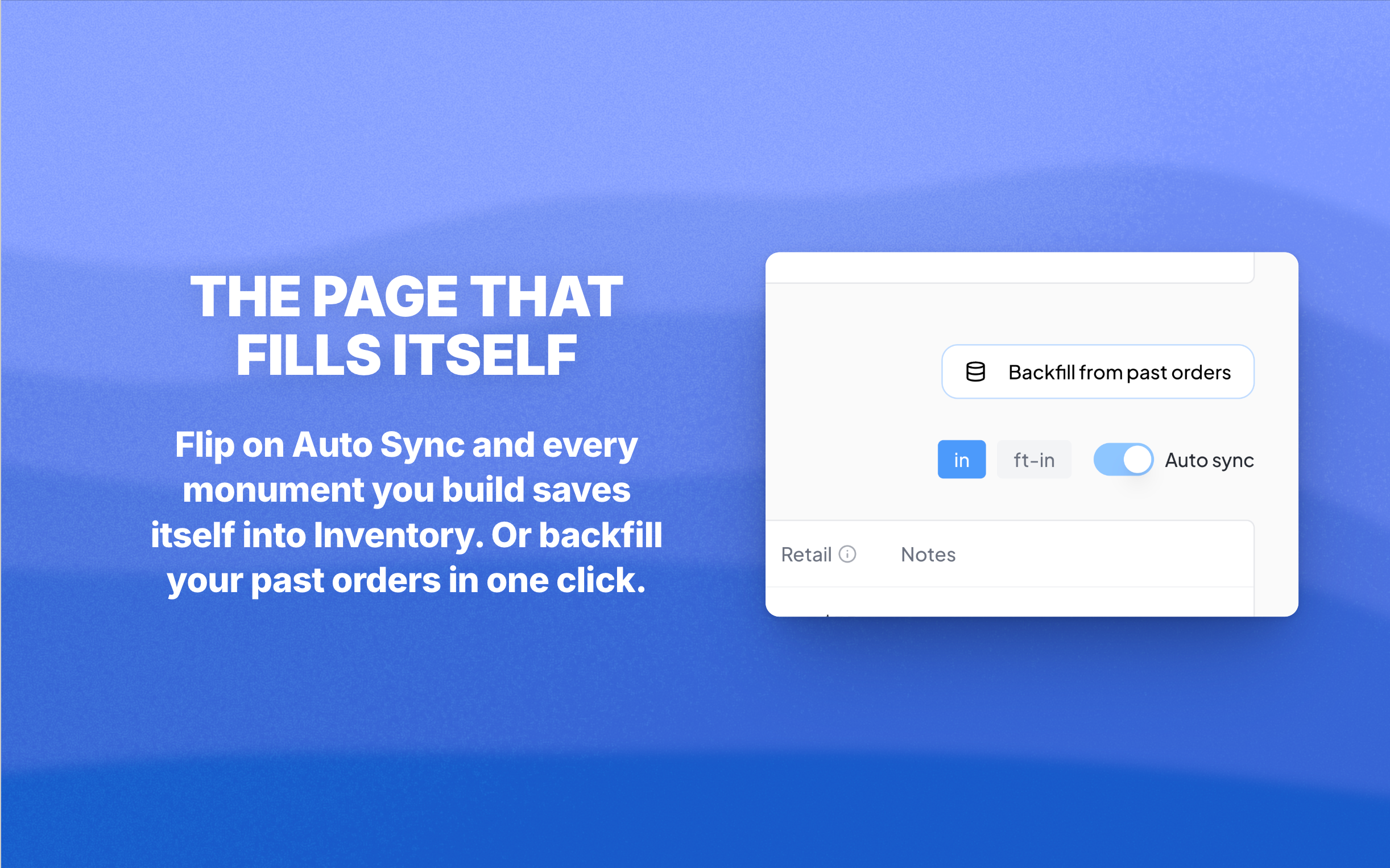
Flip on Auto Sync at the top and every monument you build in New Quote saves itself into Granite. No double entry.
Already have orders sitting in MonuDesk? Click Backfill from past orders once and every monument you've ever entered drops into Inventory in one shot.
Free for now
Inventory is going into our Pro plan when it launches in a few weeks, packed with more features that save serious time and money. Until then, every MonuDesk user gets full access. Get in the habit now.
Click here to open Inventory and try Backfill from past orders for a running start.