Organize cemeteries by zone, pick vase colors & more
🗺️ Tax by county (or zones)
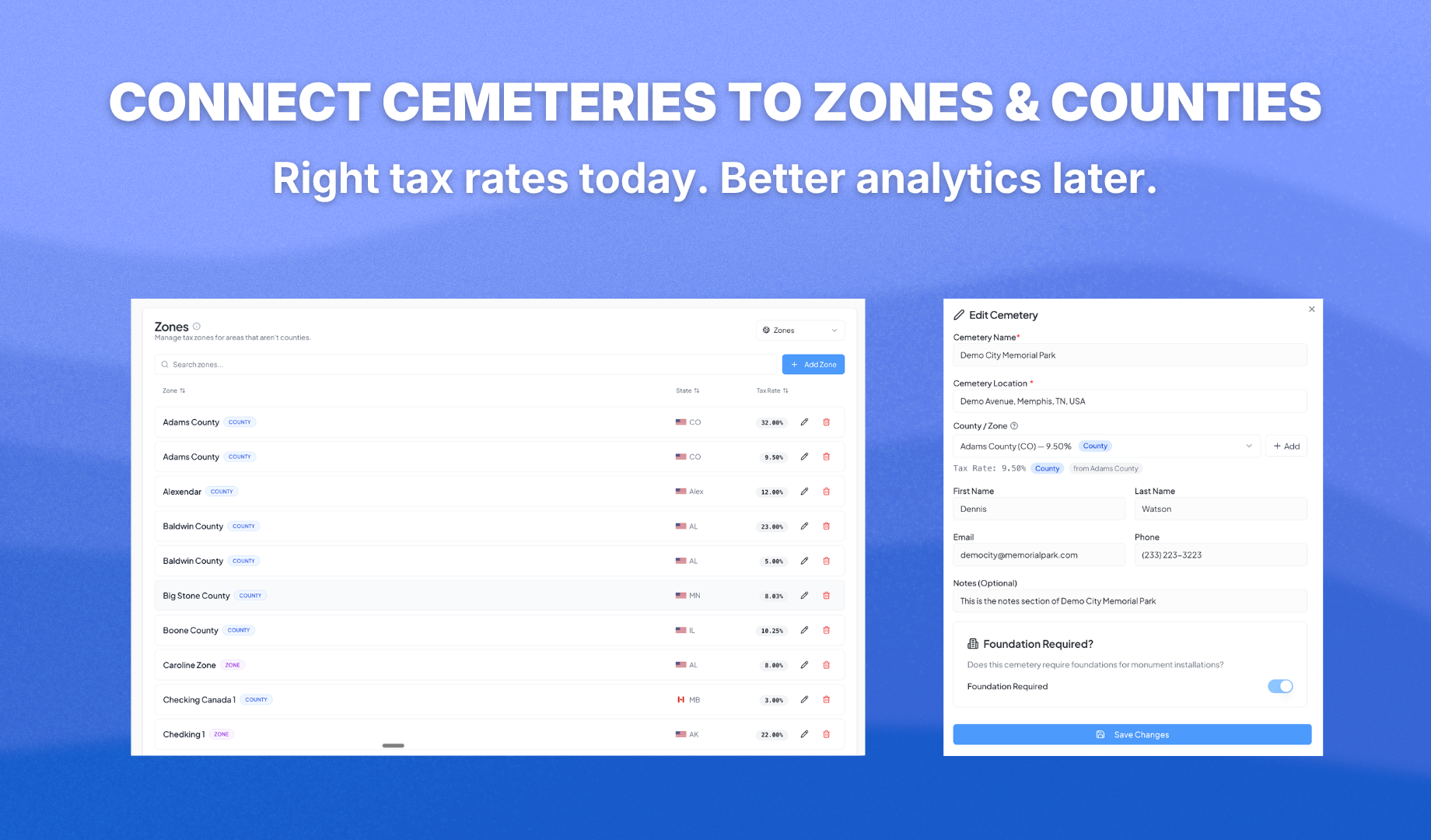
If your tax rate changes depending on where the cemetery is, this one's for you. Set up counties in Settings with their own tax rates, assign one to each cemetery, and the correct rate fills in automatically when you select that cemetery in New Quote. Switch cemeteries mid-order and the tax updates on the fly. Manual override still works if you need it.
Prefer "zones" to "counties"? Rename the label in Settings and everything adjusts to match how your shop talks.
Here's the bigger picture, even if you don’t tax by counties: Grouping cemeteries by zone or county sets you up for the upcoming analytics update. Soon you'll see where your installations are concentrated, plan routes more efficiently, and get a clear geographic overview of your work. Set it up now and it pays off the moment analytics ships.
🔢 Editable order numbers
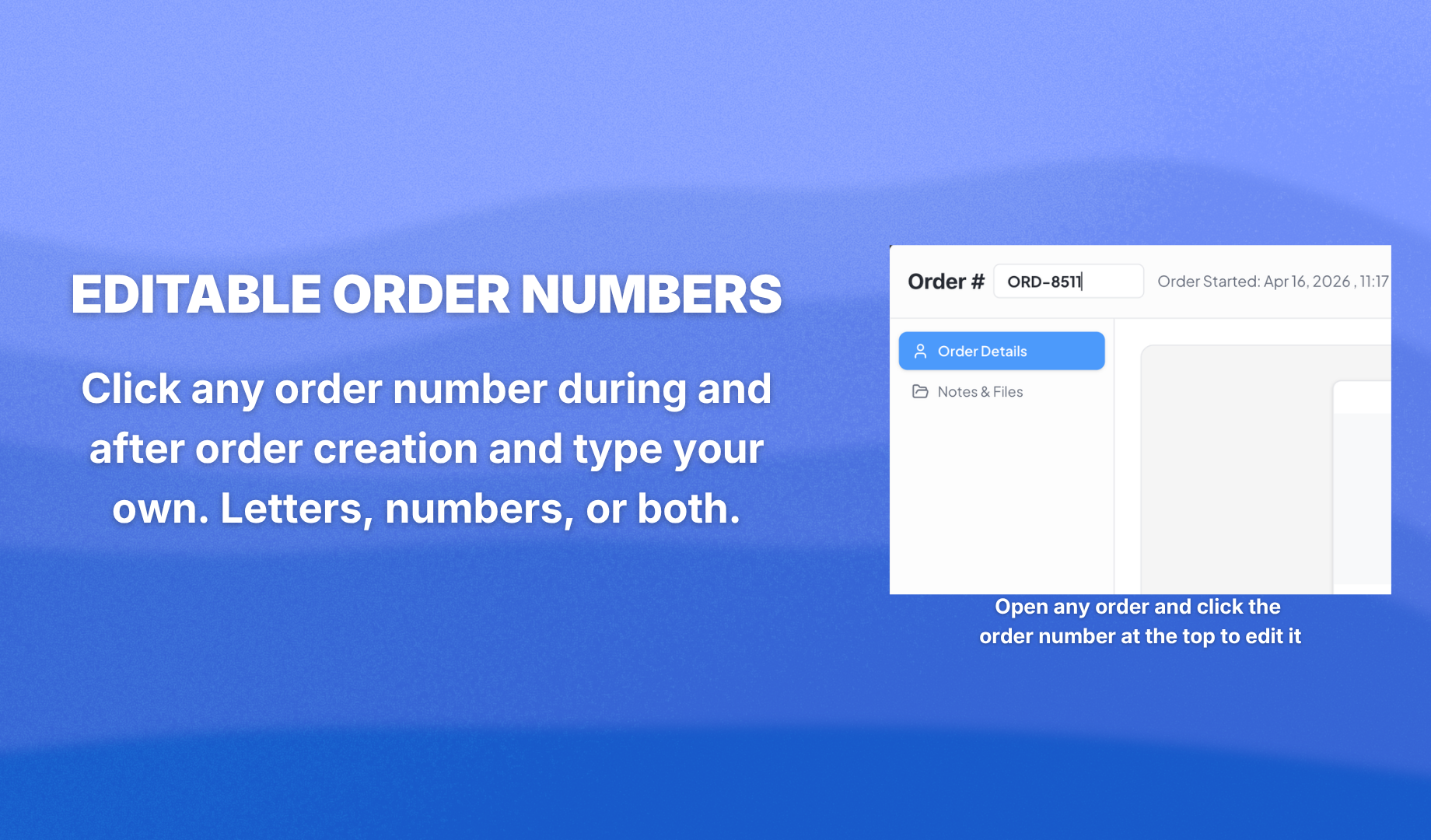
Your numbering, your rules. Click any order number and type your own. Letters, numbers, or both (HM-26055 works, so does 2024-042). Works in New Quote too. Duplicates are blocked so you never end up with two orders sharing the same number.
🏺 Vase color dropdown
Vases now have a color. Pick it in the Accessories step from your existing granite color list. It shows up on the review step and every PDF, so your supplier and shop floor know exactly what to pull.
📄 Quote PDF
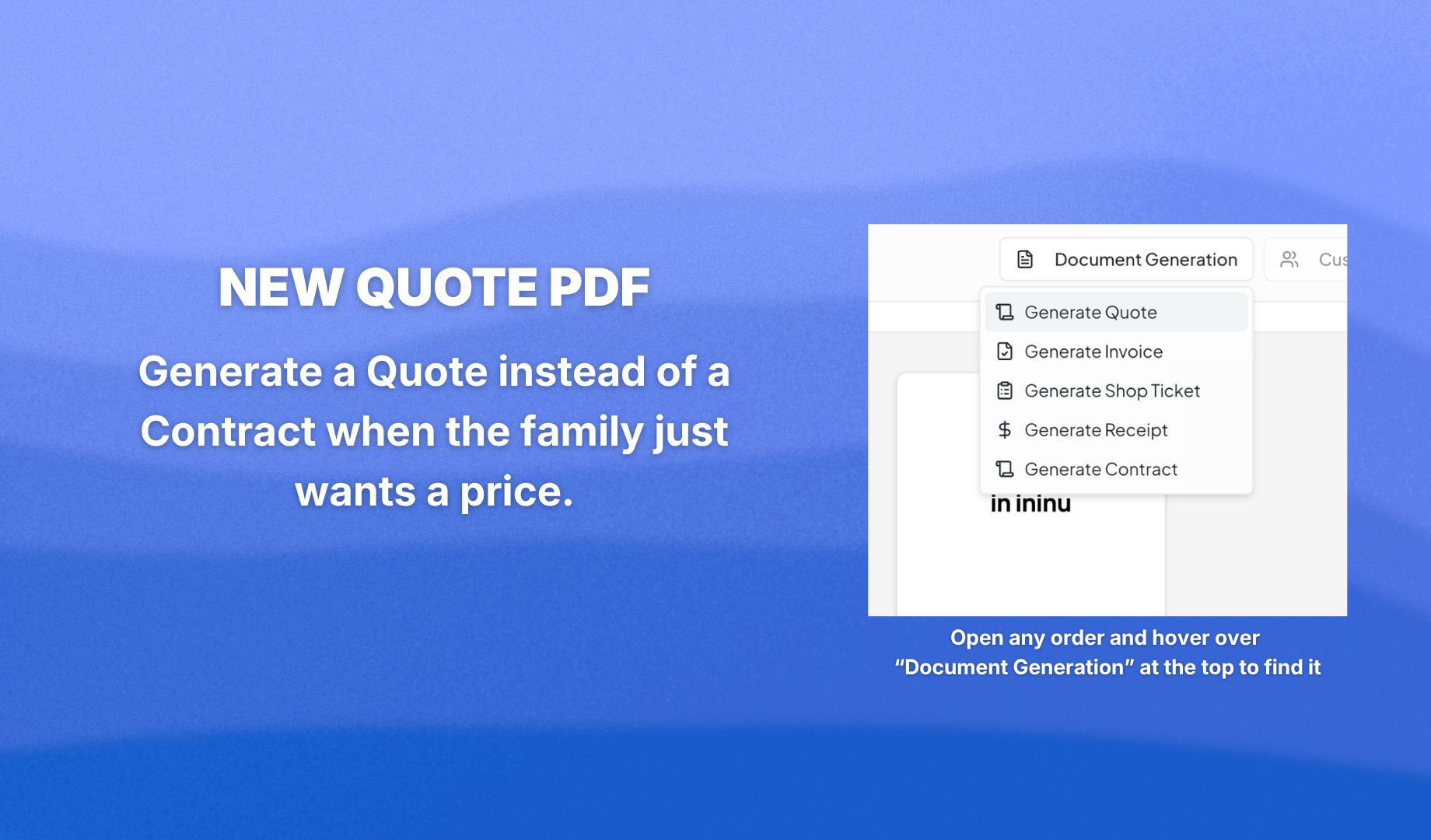
A document titled "Contract" can scare off a family who just asked for a price. The new Quote PDF fixes that. Same info as the Contract, different title, no signature fields. Particularly helpful for Canadian shops where the wording has real legal weight.
💳 Payments auto-move quotes to Confirmed
Log a payment on a quote and the order moves to Confirmed automatically. One less drag-and-drop in your day. Works for any payment method. $0 payments and already-confirmed orders are left alone.
Also in this update
You can now delete default granite colors to keep only the ones you actually sell. Cemetery name and email are no longer mandatory, so you can add a cemetery with just the essentials.
Go see it for yourself at app.monudesk.com.