New Taxes-Page, Smart Search upgrade, Sketches on PDFs and a few more goodies ☕
Happy Monday! Here's what's new.
🧾 Taxes is here
A brand new page in your sidebar. Taxes gives you a clean breakdown of every dollar of tax you've collected, broken down by county or zone. Filter by date range to pull a quarter, a year, or any window you need. Export to CSV and hand it to your accountant.
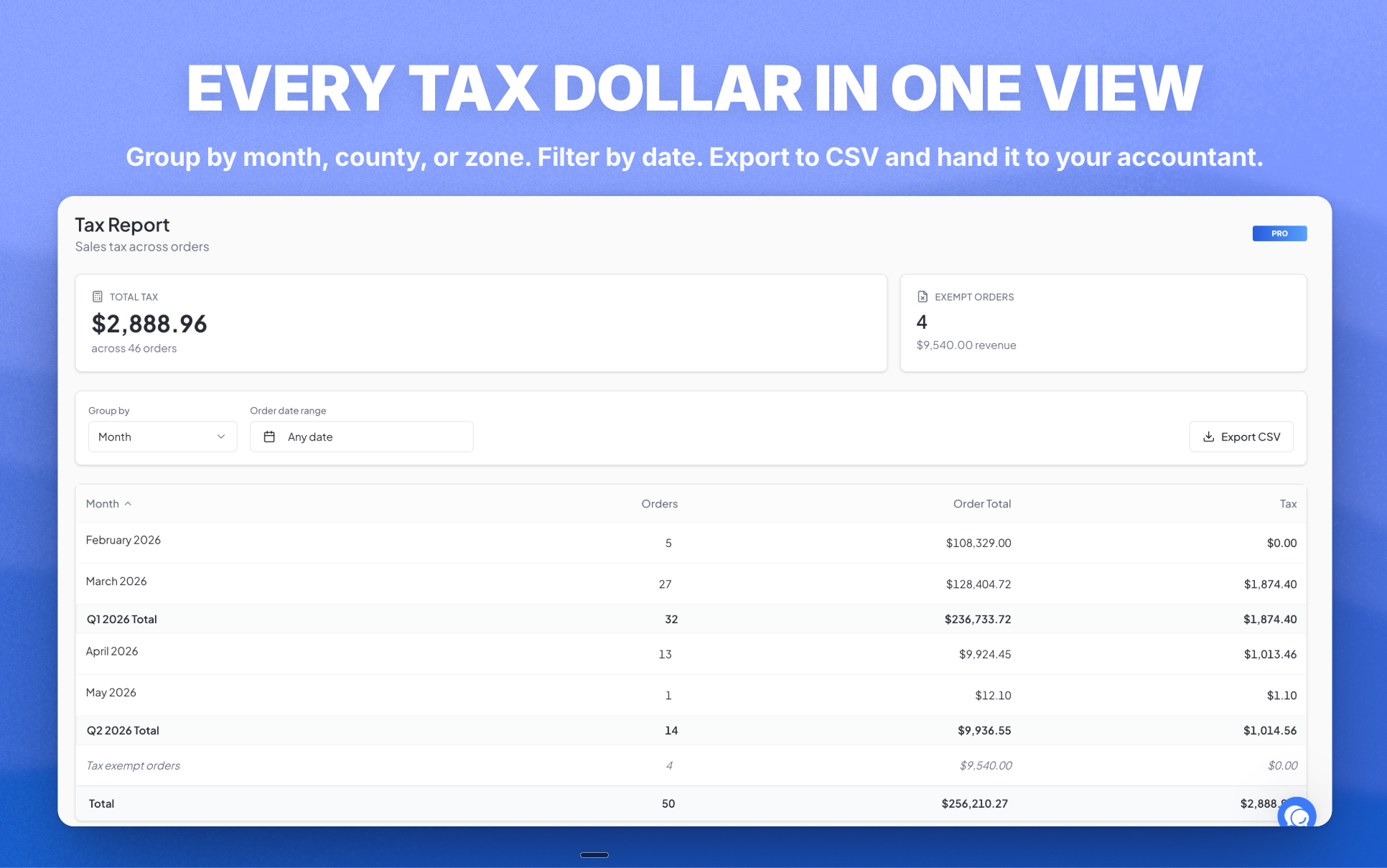
If you've ever spent a Saturday morning building tax reports from scratch, this one's for you.
🔍 Smart Search
The search bar at the top has been rebranded as Smart Search and rebuilt from the ground up.
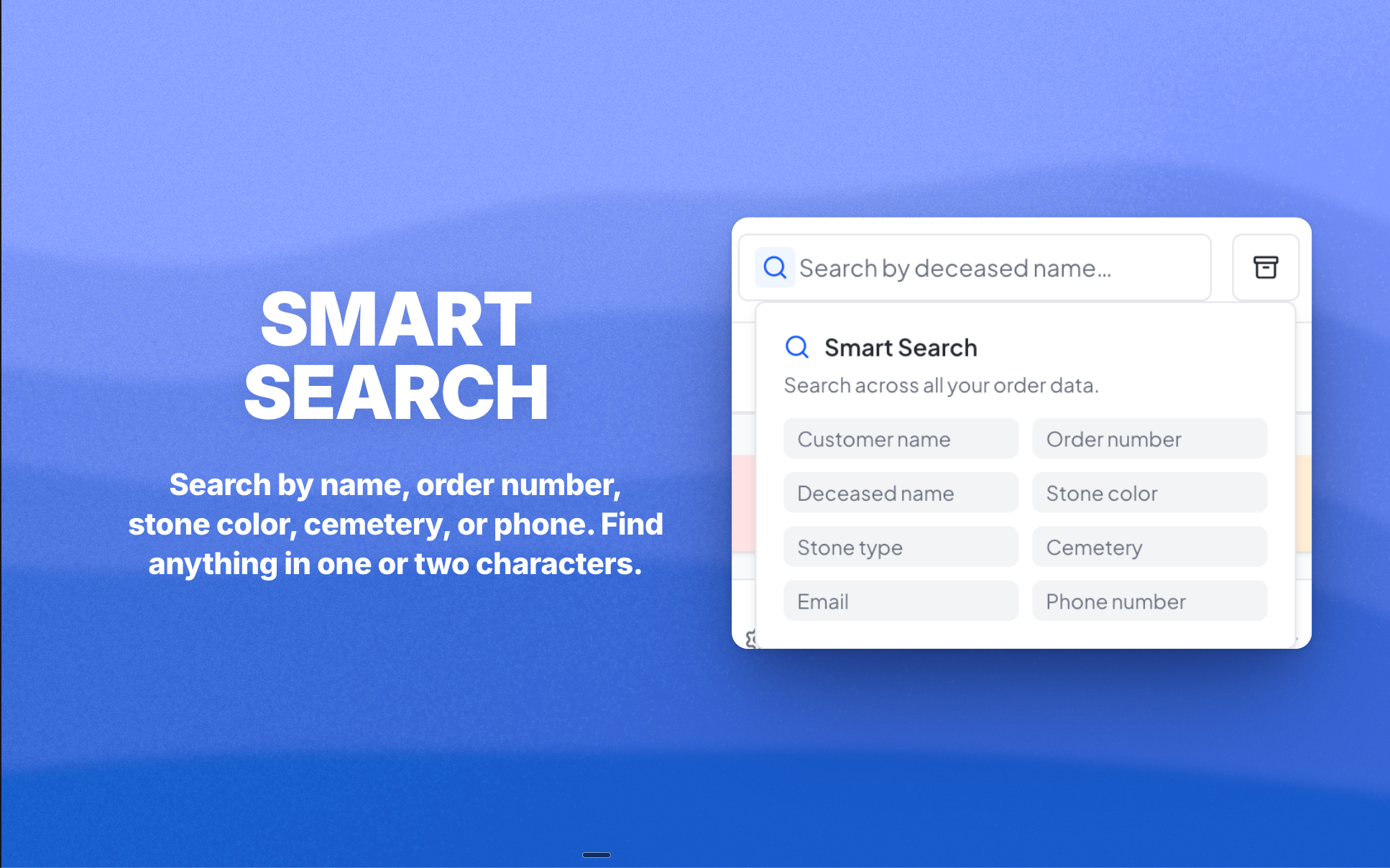
When you type, the matching name now shows first, with the part you typed bolded. Search "Grandv" and you instantly see "Grandville Cemetery" instead of starting with the order number. It works on cemetery names, marker types, colors, and more, so you find what you're looking for in one or two characters.
📎 Click to upload a sketch image
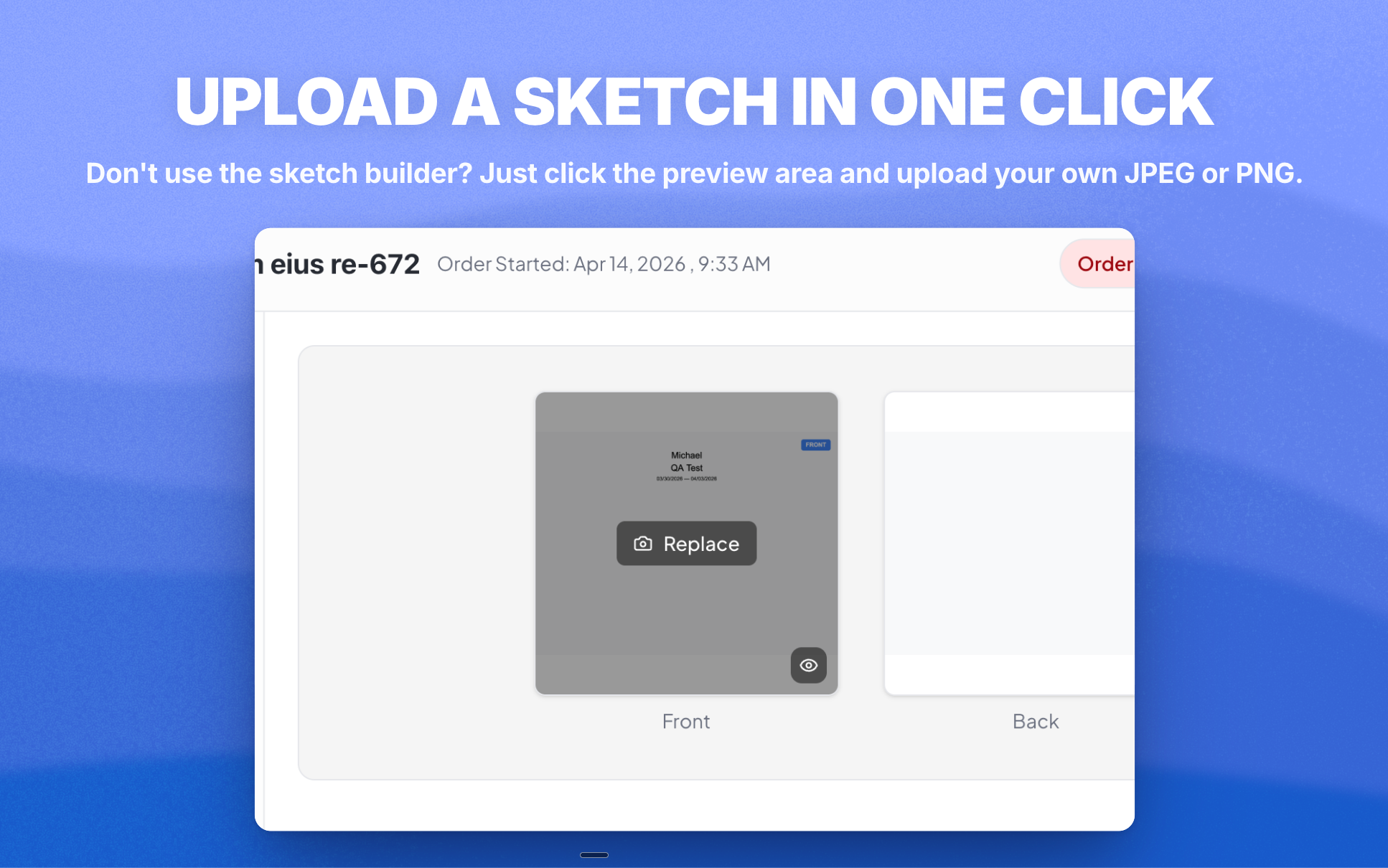
If you don't use the sketch builder, you can now click directly into the sketch preview area on the Order Overview to upload a JPEG or PNG instead. The generic placeholder is gone. Just click and upload. Replaces the old stock heart image.
🖼️ Sketches now show up on every PDF
This was a long-standing gap. Sketches built in MonuDesk only lived in the Order Overview, never on PDFs. Now, when you save a sketch, it's automatically added as a drawing on the order. Every PDF that already shows drawings (Contract, Shop Ticket, Foundation Order, Purchase Order) picks it up without any extra clicks.
If you edit or delete the sketch later, the drawing updates or disappears with it.
Also in this update
You can now add custom line items on service orders, the same way you already could on monument orders, so any extra charges have a place. Items in the accessories tab are now sorted in a sensible order.
Head to app.monudesk.com when you're ready.