Cemetery Fee Picker, team edits show up automatically, and new accessory options
🏛️ Choose the right cemetery fee per order
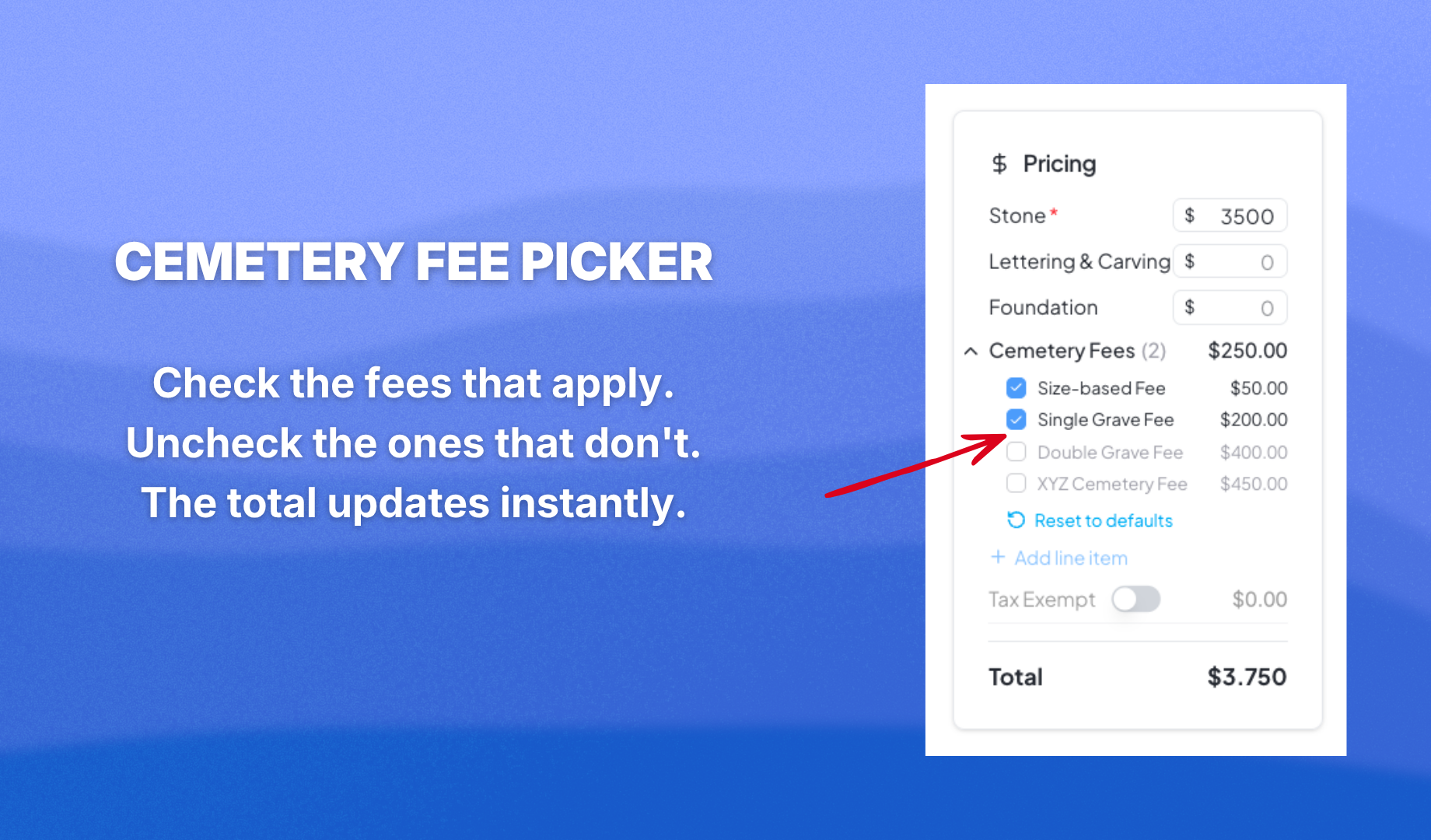
Different monuments call for different cemetery fees. You can now set up fee options for each cemetery and select the right one when creating an order — single marker, double marker, or whatever that cemetery charges. No more applying the wrong fee or manually overriding it.
To set it up: go to Settings, open Cemetery, click on a cemetery, and turn on Cemetery Settings. From there you can add fixed fees or fees by size.
🔄 Real-time updates across your team
When a team member moves an order on the Order Management screen, your screen updates automatically. No more refreshing to see what's changed. Everyone on your team is always looking at the same board.
🏺 New vase styles and porcelain options
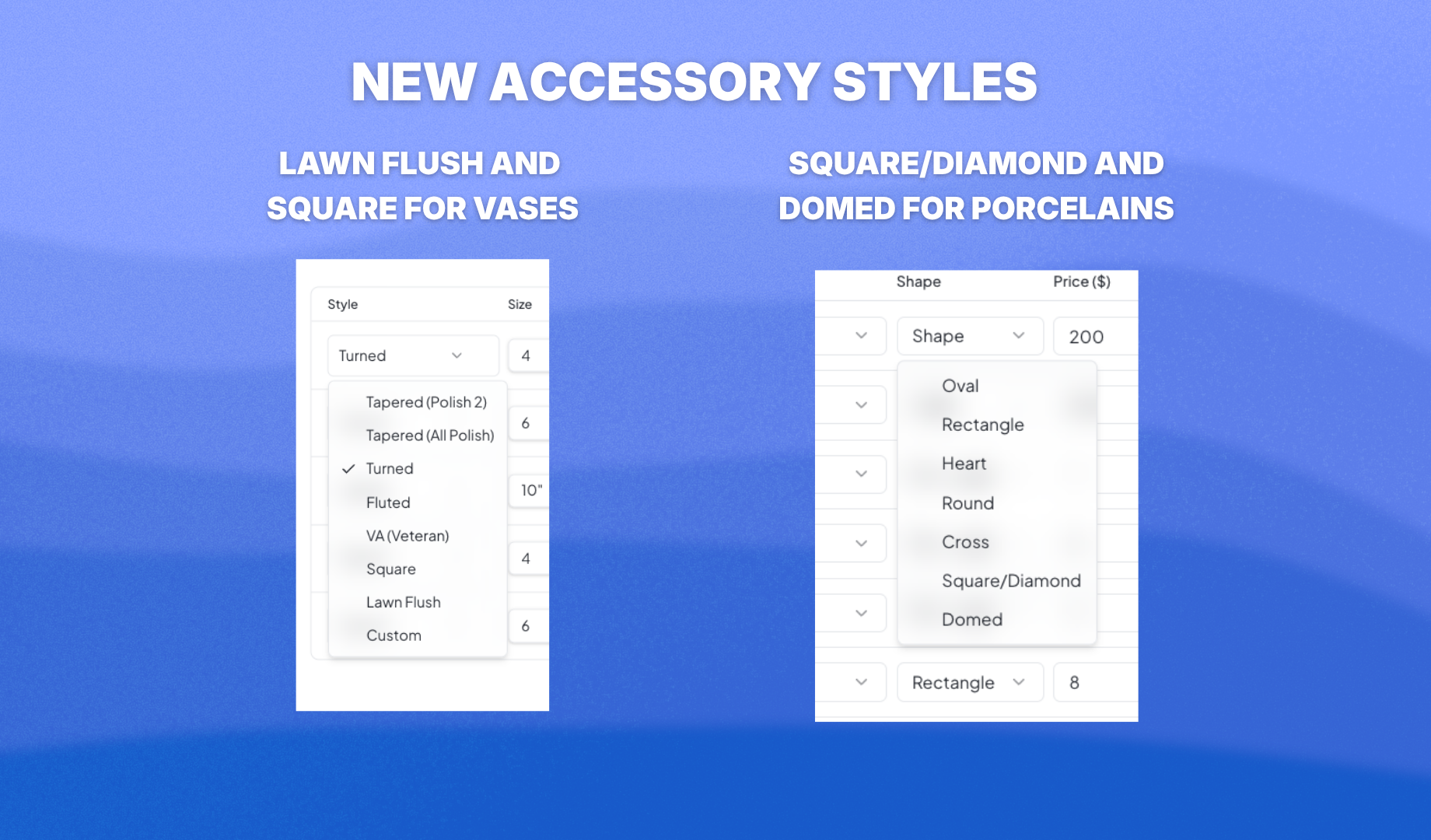
Two new vase styles are now available: lawn flush vase and square vase. Porcelain now has two new shapes — square/diamond and domed. And alongside black & white and color, there is now a sepia mode for porcelain portraits.
💳 Payment split is no longer locked on quotes
When saving an order as a quote, you can now leave the payment split at $0 in the billing tab. When the customer comes back ready to commit, edit the order, set the payment split — 50/50 or whatever you agreed on — and generate a new contract from the document button in the top right of the Order Overview. The contract will reflect the correct payment split.
Also in this update
Preset buttons are now highlighted when selected, so you can see at a glance which preset is active. And a round of major stability fixes across the app.
Don't just read about it — try it at app.monudesk.com.