Foundation Orders, Purchase Orders, and more
🏗️ Foundation Order PDFs
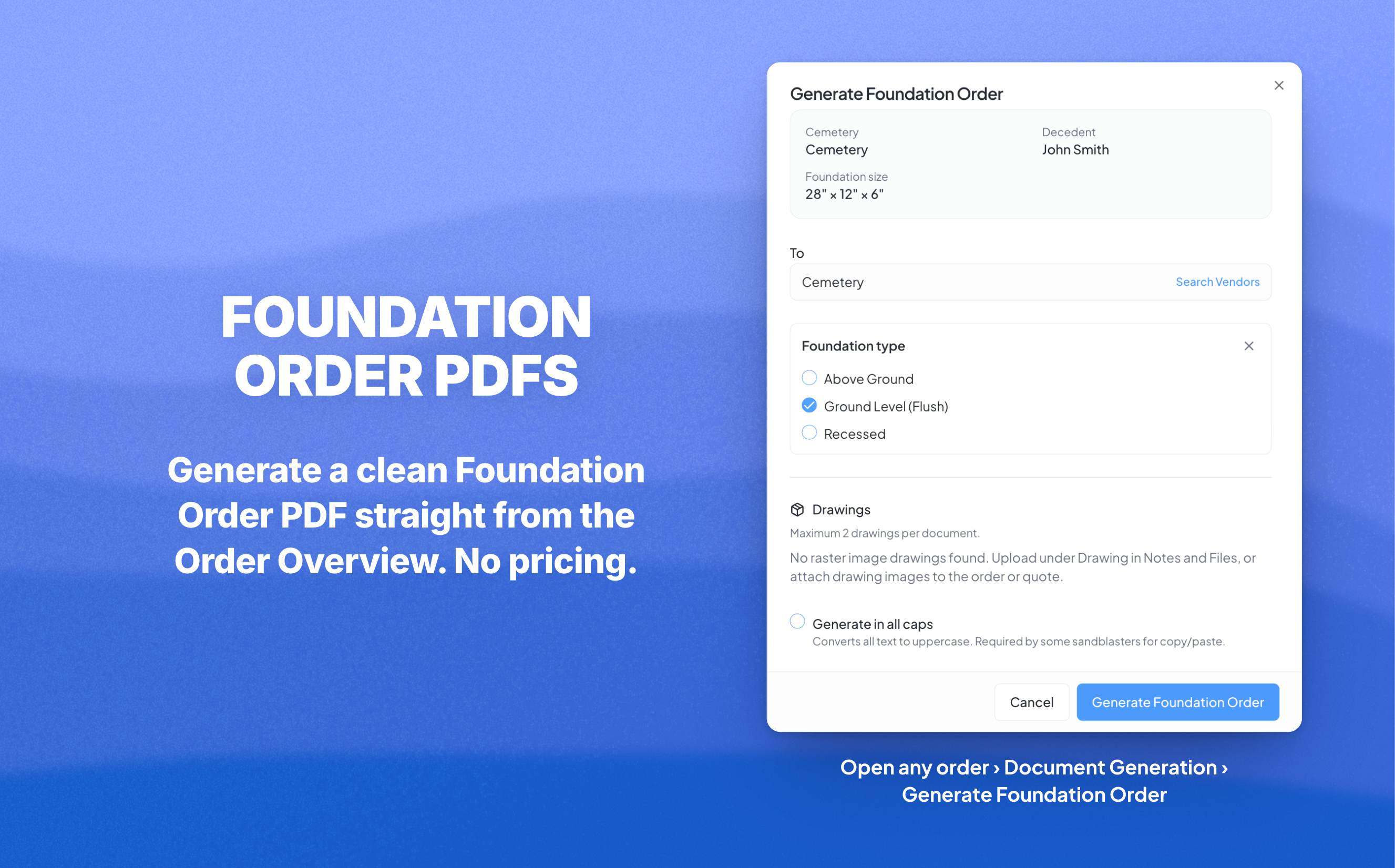
Generate a clean Foundation Order PDF straight from the Document Generation dropdown in the Order Overview. Send it to whoever pours the foundation, whether that's the cemetery itself or a separate contractor you work with.
It includes everything they need and nothing they don't: foundation dimensions, cemetery info, drawings, and order notes. No pricing.
📦 Purchase Order PDFs
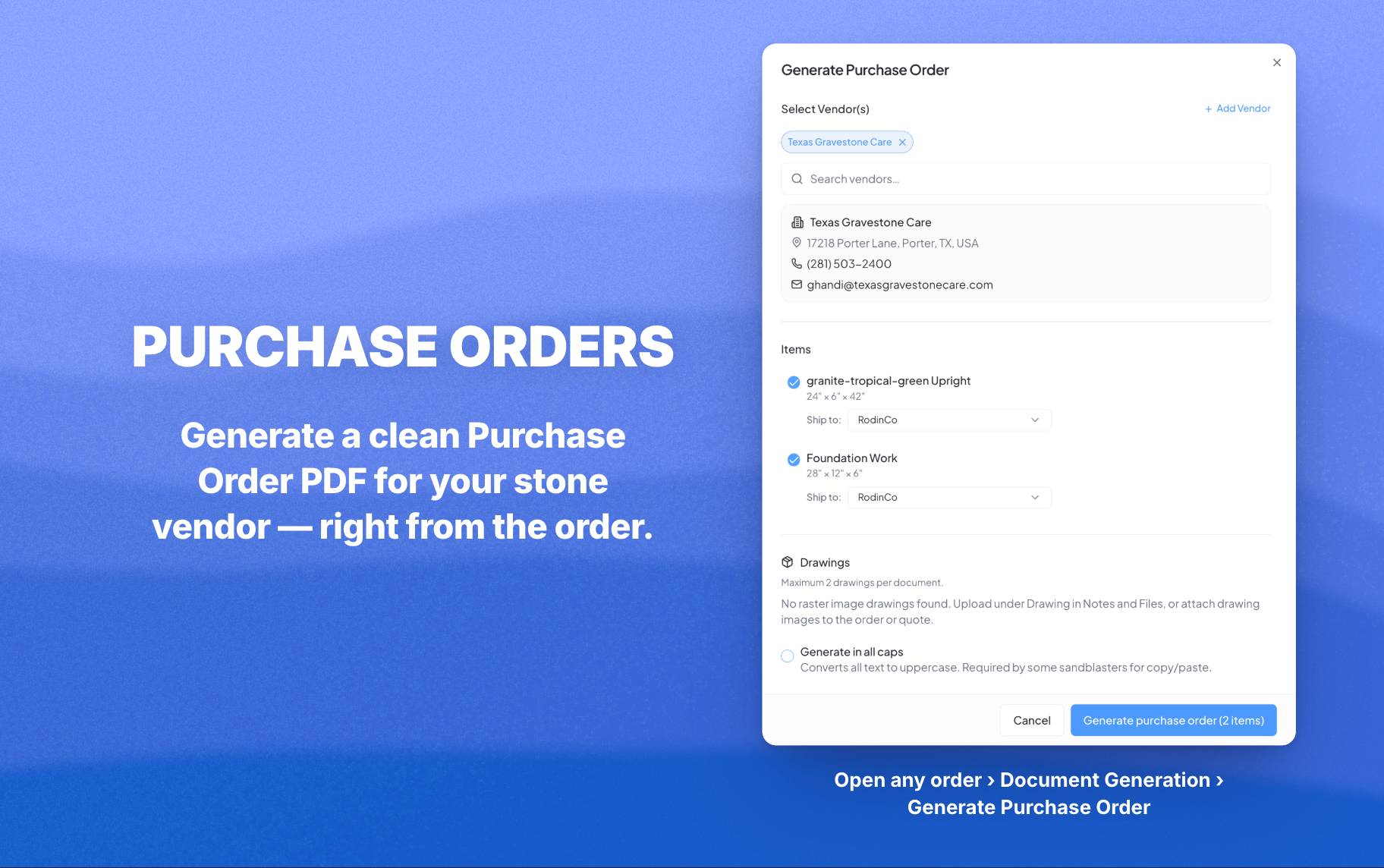
Now you can send proper Purchase Orders to your stone vendors directly from MonuDesk. Open any order, click the Document Generation dropdown, and choose Generate Purchase Order.
A few things that make it powerful:
Pick which line items go on the PO. All items are checked by default, but you can uncheck anything you don't need on this particular order.
Multiple vendors? No problem. Select more than one and assign each line item to the right supplier. MonuDesk will generate a separate PDF for each vendor, so you can send each one only what they need.
Need it shipped somewhere specific? Each item has a Ship To dropdown, so you can route the Die to your shop and the Base to a different cemetery if that's how you work.
There's also a "Generate in all caps" checkbox at the bottom. Some sandblasters require uppercase text to copy and paste into their machines. Tick the box, your PO comes out in caps. Thanks to Brian at Hall Monuments for flagging this one.
Each PO gets a sequential PO number (PO-1, PO-2, PO-3) and is automatically saved to your Documents and Proofs tab as internal-only.
Also in this update
A bug where price changes made on later steps of New Quote weren't saving correctly is fixed. Whatever you type last, on any step, is what gets saved.
Head to app.monudesk.com to try it.